
Can you use ChatGPT offline? Here's what works without internet
· By Modelbase Team
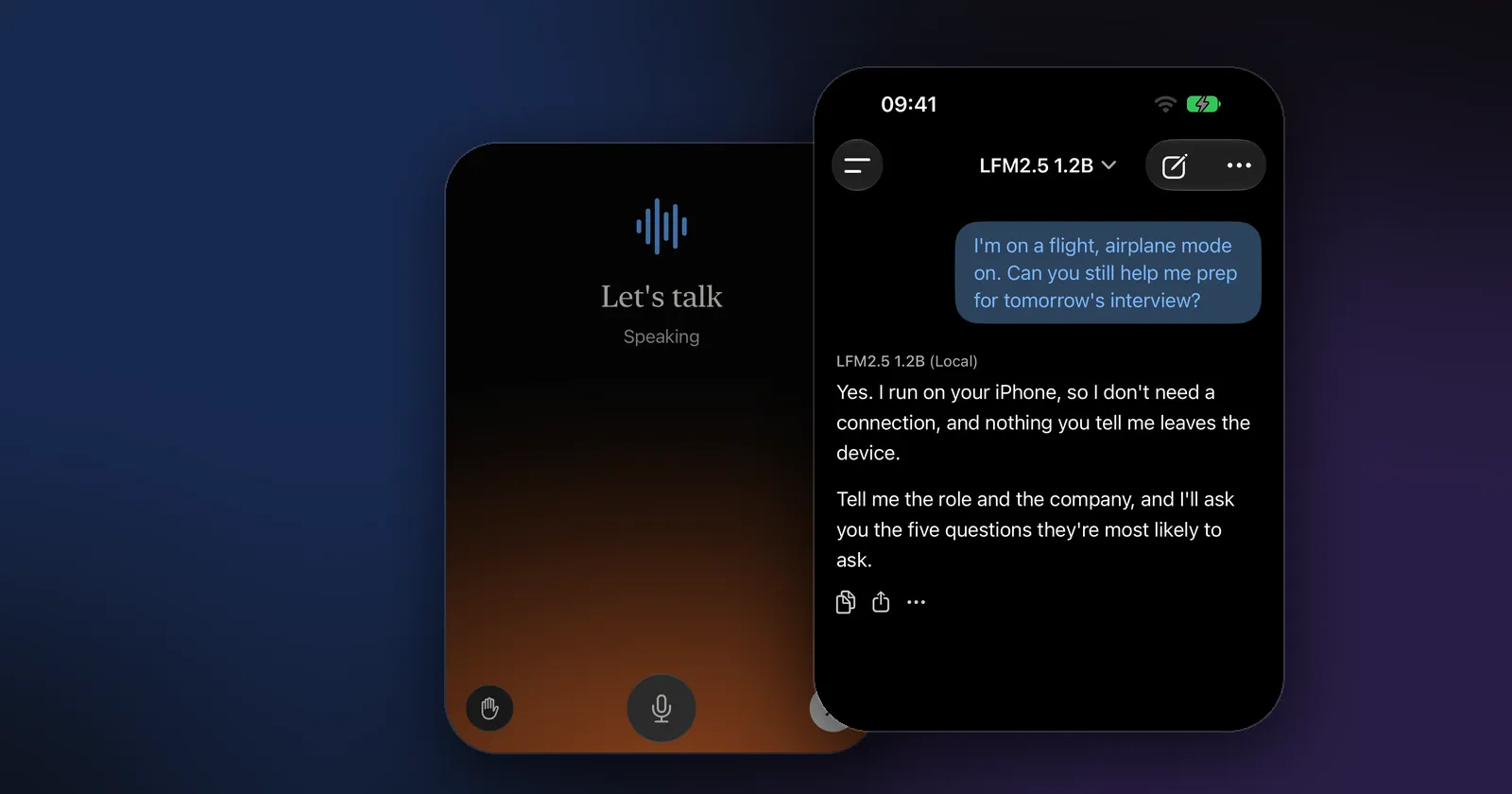
No, you can’t use ChatGPT offline. ChatGPT’s models run on OpenAI’s servers, so every message has to travel there and back, and the app stops answering when you lose your connection. If you want an AI chat that keeps working on a plane, abroad without roaming or anywhere without signal, you need a model that runs on your own device. On an iPhone, iPad or Mac, a free app like Modelbase does exactly that.
This guide explains why ChatGPT needs the internet, what “offline AI” really means, and how to set up an AI chat that works with no connection at all.
Why ChatGPT needs the internet
A chatbot has two parts: the app you type into, and the model that writes the answers. With ChatGPT, only the first part is on your phone. The model itself lives in OpenAI’s data centers, because it is far too large for a phone or a laptop.
So when you type a question, the ChatGPT app sends it to OpenAI, the model writes a reply there, and the reply comes back over the network. Without a connection there is nothing to send the question to. That’s also why “ChatGPT offline” is often in the news: when OpenAI’s servers have an outage, everyone’s ChatGPT stops at once, whatever their own connection is like.
There is no offline mode to switch on. Turning on airplane mode, downloading the app or signing in doesn’t change where the model runs.
What “offline AI” means
An offline AI chat is a chat app whose language model is stored and run on your device. The model is a file of a few hundred megabytes to a few gigabytes; once it’s downloaded, your phone’s chip does all the work, and no connection is needed to ask a question or get an answer.
These on-device models are smaller than the ones behind cloud chatbots, but today’s small models are good at the everyday jobs most people use ChatGPT for: writing and rewriting, summarizing, explaining, brainstorming, planning, translating and answering general questions. (Our guide to small language models explains what “small” means here.)
There’s a second benefit: privacy. If the model is on your device, your messages never have to leave it.
How to chat with AI offline on iPhone, iPad and Mac
Modelbase is a free app that runs open AI models on your iPhone and iPad (iOS 18 or later) and on Macs with Apple silicon (macOS 15 or later). No account, no sign-up.
- Install Modelbase from the App Store while you still have a connection.
- Open it and start typing. The app comes with its first model inside, LFM 2.5 (1.2B) by Liquid AI, so it works from the first launch. There’s nothing to download before your first chat.
- Optional: add a bigger or more specialized model. Tap the model’s name at the top of the chat, then Manage models > Local. The catalog has 53 open models from Qwen, Google, Meta, Microsoft, IBM, Mistral AI, Liquid AI and others. Tap Download on the ones you want, ideally on Wi-Fi before a trip.
- Turn off your connection and chat. Airplane mode, no signal, no Wi-Fi: the downloaded models keep working.
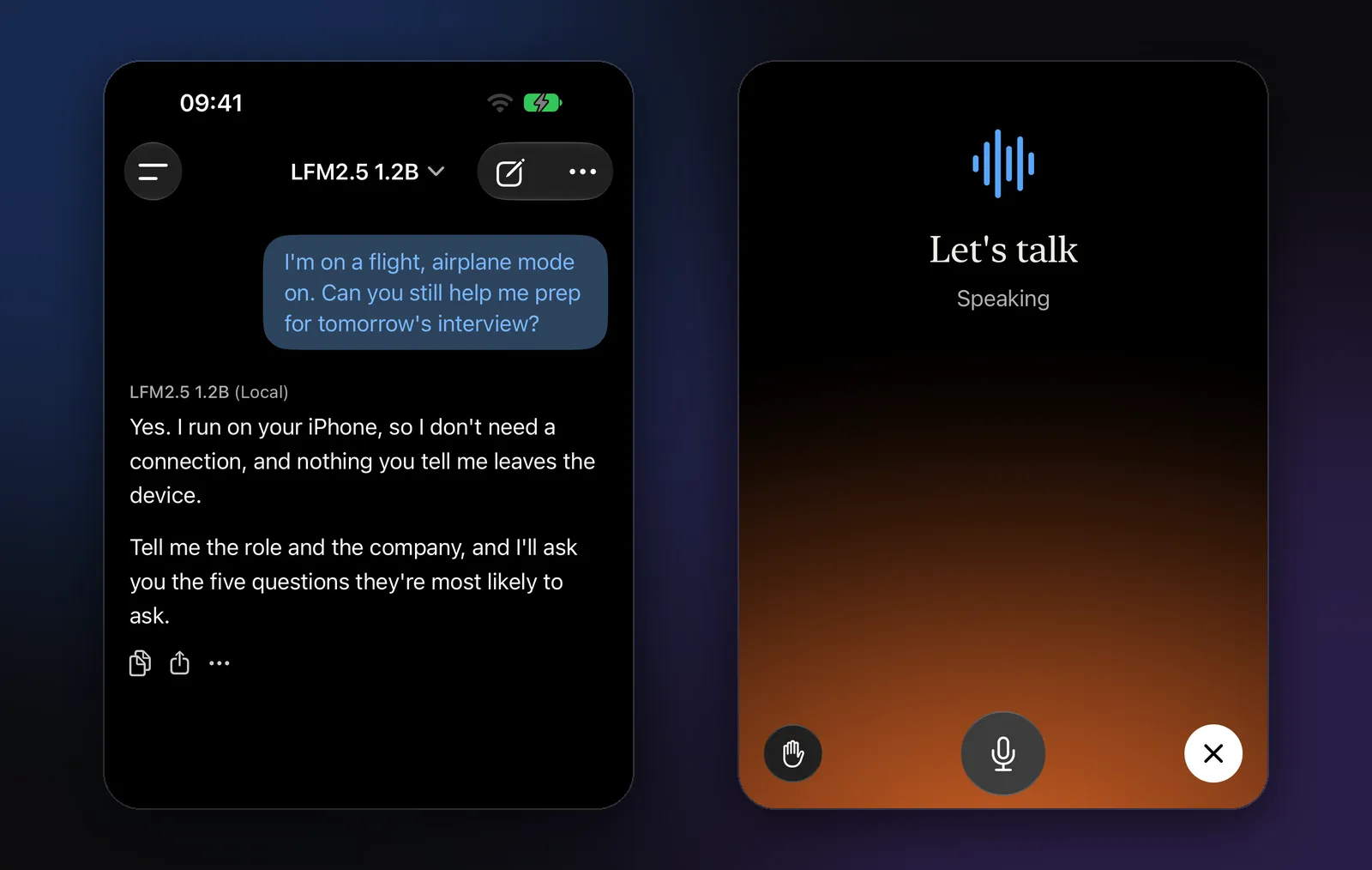
The reply is signed with the model’s name and “(Local)”, so you can always see that the answer came from your device.
What works offline, and what needs a connection
Everything the model does by itself works offline. Anything that has to fetch something from the outside world needs a connection, as it would in any app.
| Feature | Offline? | Why |
|---|---|---|
| Chatting with a downloaded model | Yes | The model runs on your device |
| Asking about a photo (with a vision model) | Yes | The image is read on your device |
| Asking about a PDF or document (how) | Yes | The file is read on your device |
| Voice mode (how) | Yes, in most languages | Speech recognition runs on the device |
| Your calendar and reminders | Yes | They are read on the device |
| Downloading a new model | No | It comes from the internet once |
| Web search and deep research | No | The answer comes from web pages |
| Weather, stocks and places | No | They come from Open-Meteo, Yahoo Finance and Apple Maps |
| OpenRouter or your own server | No | The model runs elsewhere |
| iCloud sync of your chats | Later | Your chats sync when you’re back online |
One detail for voice mode: dictation runs on your device, but if a language isn’t available offline on your iPhone, Modelbase can let Apple’s speech recognition server transcribe it instead. That only happens if you allow online dictation in Settings, and it needs a connection.
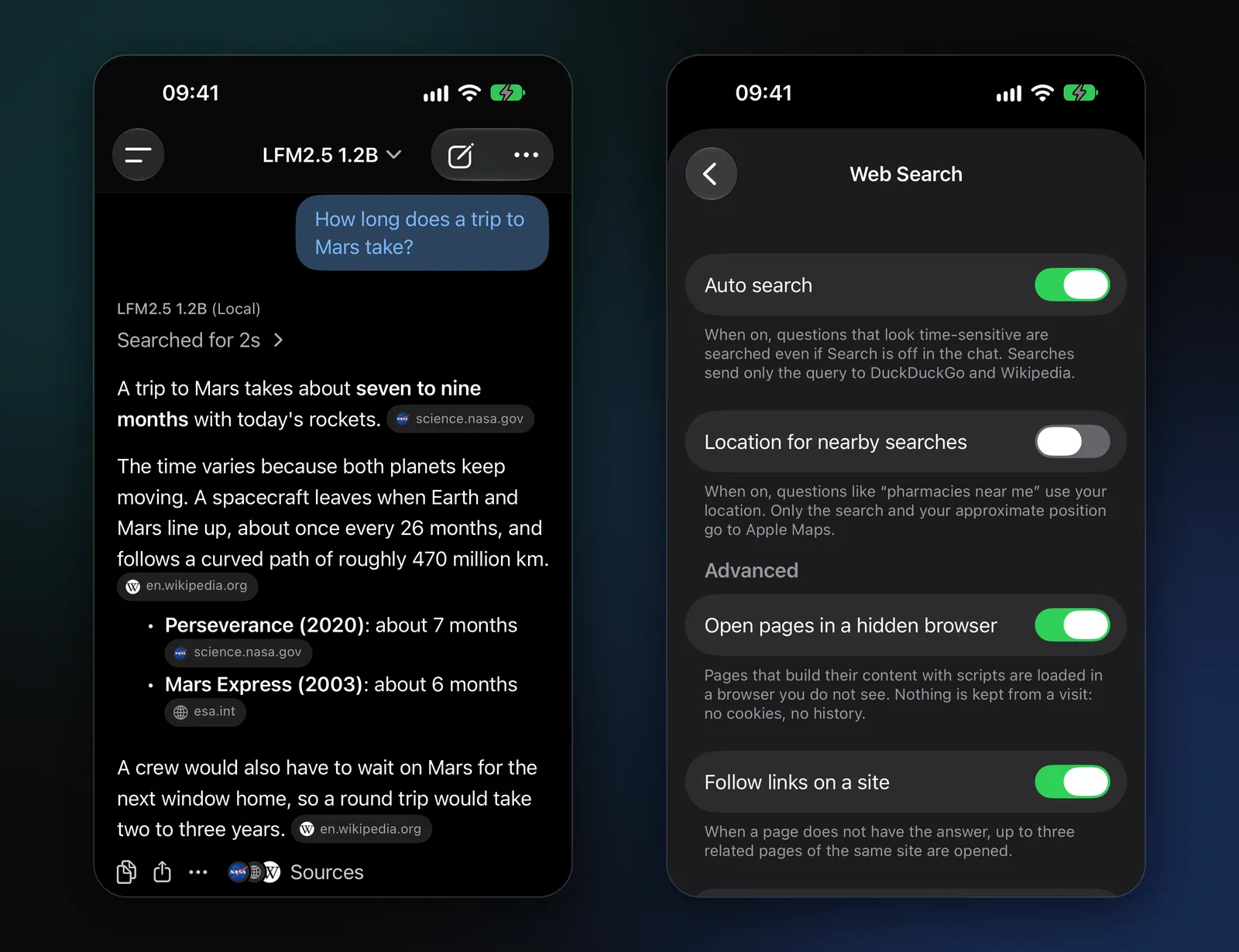
When you’re online again, web search takes over for questions about the news, prices, opening hours and anything else that changes. Modelbase searches DuckDuckGo and answers with numbered sources you can open.
Which model to use offline
The included model is a good start. If you want more, pick by what you’ll do and how much memory your device has. Sizes are the download sizes in the app.
| You want | Try | Download |
|---|---|---|
| Quick everyday answers | LFM 2.5 (1.2B), included | 0.66 GB |
| A light model for iPhone 14 and older | LFM 2.5 (350M) | 0.23 GB |
| A stronger all-rounder | Qwen 3.5 (2B) or Llama 3.2 (3B) | 1.75 / 1.82 GB |
| The best answers your phone can hold | Qwen 3.5 (4B) or Phi 4 Mini (3.8B) | 3.06 / 2.18 GB |
| Questions about photos | LFM 2.5 VL (1.6B) | 1.5 GB |
| Math and logic | LFM 2.5 Thinking (1.2B) or DeepSeek R1 (1.5B) | 0.66 / 1.01 GB |
A model needs its download size and a bit more in free memory while it answers, so bigger models suit newer iPhones, iPads and Macs. The app says which iPhones each model is recommended for. Our guide Which AI model should you run on your iPhone? goes through the choice in more detail.
Offline AI vs ChatGPT: what you give up, and what you get
It’s worth being honest about the trade.
What you give up. A model that fits on a phone knows less than the large models behind cloud chatbots. It’s more likely to get an obscure fact wrong, and it’s weaker at long, complex reasoning or code. Offline, it also has no live information: it knows what it learned in training and what you give it (a photo, a PDF, your own text). Check anything important.
What you get.
- It works anywhere. On a flight, in a tunnel, abroad without roaming, in the mountains.
- Your chats stay on your device. A local model has nothing to send. Modelbase has no account and no analytics, and we never receive your chats. If you turn on iCloud sync, they sync through your own iCloud storage.
- It’s free. The app and its models cost nothing. The only cost is storage space for the models.
- No outages. If a cloud service goes down, your local model doesn’t.
Many people use both: a local model for everyday and private things, and a cloud model when they need more power (more in On-device AI vs cloud AI). Modelbase can do that too: connect OpenRouter with your own key, or a server of your own, and those models appear in the same model picker. They need a connection, of course, and some are free within limits (free LLM APIs). If you’re weighing ChatGPT’s privacy, see Is ChatGPT safe?
Modelbase isn’t the only app that does this. For a comparison of the iPhone apps that run models on the phone, see The best offline AI apps for iPhone; for private alternatives on a Mac or PC too, Private ChatGPT alternatives that work offline.
What about OpenAI’s own open models?
In August 2025 OpenAI released two open-weight models, gpt-oss-120b and gpt-oss-20b, that anyone can download and run. They are not ChatGPT, and they’re built for computers rather than phones: OpenAI says the smaller one runs on devices with 16 GB of memory (OpenAI). If you have such a computer, you can run one in a desktop tool and connect Modelbase to it as your own server, but that only works while your phone can reach the computer. For a chat that works anywhere with no connection, a model on the phone itself is the answer.
FAQ
Does ChatGPT have an offline mode?
No. ChatGPT always needs an internet connection, because its models run on OpenAI’s servers. To chat with AI offline, use an app that runs the model on your device, such as Modelbase.
Can I use ChatGPT in airplane mode?
Only if the plane has Wi-Fi and you connect to it; the app needs the internet either way. An on-device model works in airplane mode with no Wi-Fi at all.
Is there a free offline alternative to ChatGPT for iPhone?
Yes. Modelbase is free on the App Store, needs no account, and comes with a model that works offline from the first launch. It runs on iPhone and iPad with iOS 18 or later and on Macs with Apple silicon.
Is offline AI private?
A model that runs on your device processes your messages on your device, so they don’t need to go anywhere. In Modelbase, chats with on-device models are never sent to us or to anyone else; only features that need the web, like search or the weather, send what they look up.
How much storage do I need?
The included model takes 0.66 GB. Other models in the app range from 0.19 GB to 3.58 GB, so one or two extra models fit comfortably on most phones. You can delete any model in Manage models to free the space.
Do offline answers get worse without the internet?
The model answers the same way online and offline. What you lose offline is web search, so questions about recent events or live prices can’t be checked against the web until you’re connected again.
Try it on your iPhone, iPad or Mac
Modelbase is free on the App Store.