The best apps to run local LLMs on a Mac
· By Modelbase Team
The best app for running local LLMs on a Mac depends on what you want from it. For browsing and testing any model on Hugging Face, LM Studio is the natural place to start. For an open-source server that other apps and scripts use, Ollama. For an open-source ChatGPT-style app, Jan. For documents and agents, AnythingLLM or Msty Studio. And if you want the same private chat on your Mac and your iPhone from the App Store, there are native apps such as Modelbase, Private LLM, Locally AI and Liquid Apollo.
All of them run models on your Mac, so your chats stay on it. Below is how they compare, with every fact checked on each app’s official site, docs or App Store page as of November 2026. (Modelbase is our app; we’ve kept its entry to the same facts as the others.)
The short list
| App | Price (as of Nov 2026) | Mac requirement | Open source | Engine | Local API server |
|---|---|---|---|---|---|
| LM Studio | Free, also at work | Apple silicon, macOS 14+ | No (CLI and SDKs MIT) | llama.cpp (GGUF), MLX | Yes, OpenAI-compatible |
| Ollama | Free for local use | macOS 14+; Intel on CPU only | Yes (MIT) | MLX, llama.cpp (GGUF) | Yes, OpenAI-compatible subset |
| Jan | Free | Apple silicon, macOS 13.6+ | Yes (Apache-2.0) | llama.cpp; MLX experimental | Yes, OpenAI-compatible |
| Msty Studio | Free; Aurum $149/year | Apple silicon or Intel, macOS 11+ | Not stated | Ollama, llama.cpp, MLX | Not confirmed in current docs |
| AnythingLLM | Desktop free | Apple silicon or Intel | Yes (MIT) | Built-in llama.cpp; or Ollama, LM Studio, cloud | Yes (developer API) |
| GPT4All | Free | macOS 12.6+ | Yes (MIT) | llama.cpp | Yes, localhost only |
| Modelbase | Free | Apple silicon, macOS 15+ | No | MLX | No |
| Private LLM | $4.99 one-time | macOS 14+ | Not stated | Based on mlc-llm | Not stated |
| Locally AI | Free | macOS 26+ | Not stated | MLX | Not stated |
| Liquid Apollo | Free | Apple silicon, macOS 15+ | Not stated | LEAP (Liquid AI) | Not stated |
Desktop tools for exploring and serving models
LM Studio
LM Studio is a desktop app with a chat window, a built-in Hugging Face search and downloader, and a local server with OpenAI-compatible endpoints. On a Mac it runs both GGUF models (llama.cpp) and MLX models, which makes it the easiest way to compare formats. You can attach documents to a chat (RAG), use MCP tools, and run it headless from the command line.
It needs Apple silicon and macOS 14 or later. It’s free at home and at work; as of November 2026, paid plans (Bionic+ at $20 a month, Pro at $100) add cloud models. The app is proprietary; its CLI and SDKs are MIT-licensed.
Pick it if you want to try many models from Hugging Face in a polished app. Compared in depth in LM Studio vs Ollama.
Ollama
Ollama is open source (MIT) and built around a background server: ollama run qwen3 downloads
a model from its library and starts a chat, and other apps reach it on port 11434. Since July 2025 it has a desktop
app on macOS and Windows. On Apple silicon it runs on MLX, with GGUF support through llama.cpp, and unlike LM Studio
it also runs on Intel Macs (CPU only, macOS 14 or later). Local use is free and unlimited; cloud models are
optional and paid.
Pick it if you want a server for scripts, coding tools and other apps, or a chat window from one of the many Ollama GUI apps.
Jan
Jan calls itself an open-source alternative to ChatGPT that runs fully offline on your computer. It’s free, open source (Apache-2.0 with an attribution request), runs models with llama.cpp (MLX is experimental on macOS 14 or later), has an OpenAI-compatible server on your Mac, supports MCP, and can also connect to cloud providers such as OpenAI and Anthropic. Its docs list Apple silicon with macOS 13.6 or later.
Pick it if you want an open-source chat app that feels like ChatGPT and stays on your Mac.
Msty Studio
Msty Studio is a desktop workspace: chat with local or cloud models, keep knowledge stacks for document chat, use MCP tools and reuse prompts. It can run models through Ollama, llama.cpp or MLX, on Apple silicon or Intel Macs with macOS 11 or later. As of November 2026 it’s free, with Aurum at $149 per user per year (or $349 lifetime) for more features (pricing).
Pick it if you want one workspace for local and cloud models with knowledge and prompt tools.
AnythingLLM
AnythingLLM focuses on documents and agents: workspaces that hold your files, a no-code agent builder, MCP compatibility, voice in and out. It has a built-in engine and also connects to Ollama, LM Studio and cloud providers. The desktop app is free on Apple silicon and Intel Macs, and the project is MIT licensed. Its README notes anonymous telemetry that you can switch off in the app’s privacy settings.
Pick it if you mainly want to chat with your own documents or build simple agents.
GPT4All
GPT4All from Nomic is a free, MIT-licensed desktop app with LocalDocs (chat with your files) and a local OpenAI-compatible server. It runs on macOS 12.6 or later. As of November 2026, its latest release on GitHub is version 3.10.0 from February 2025, so check that it supports the models you want.
App Store apps for Mac (and iPhone)
These come from the App Store, install like any Mac app, and also run on iPhone and iPad.
Modelbase
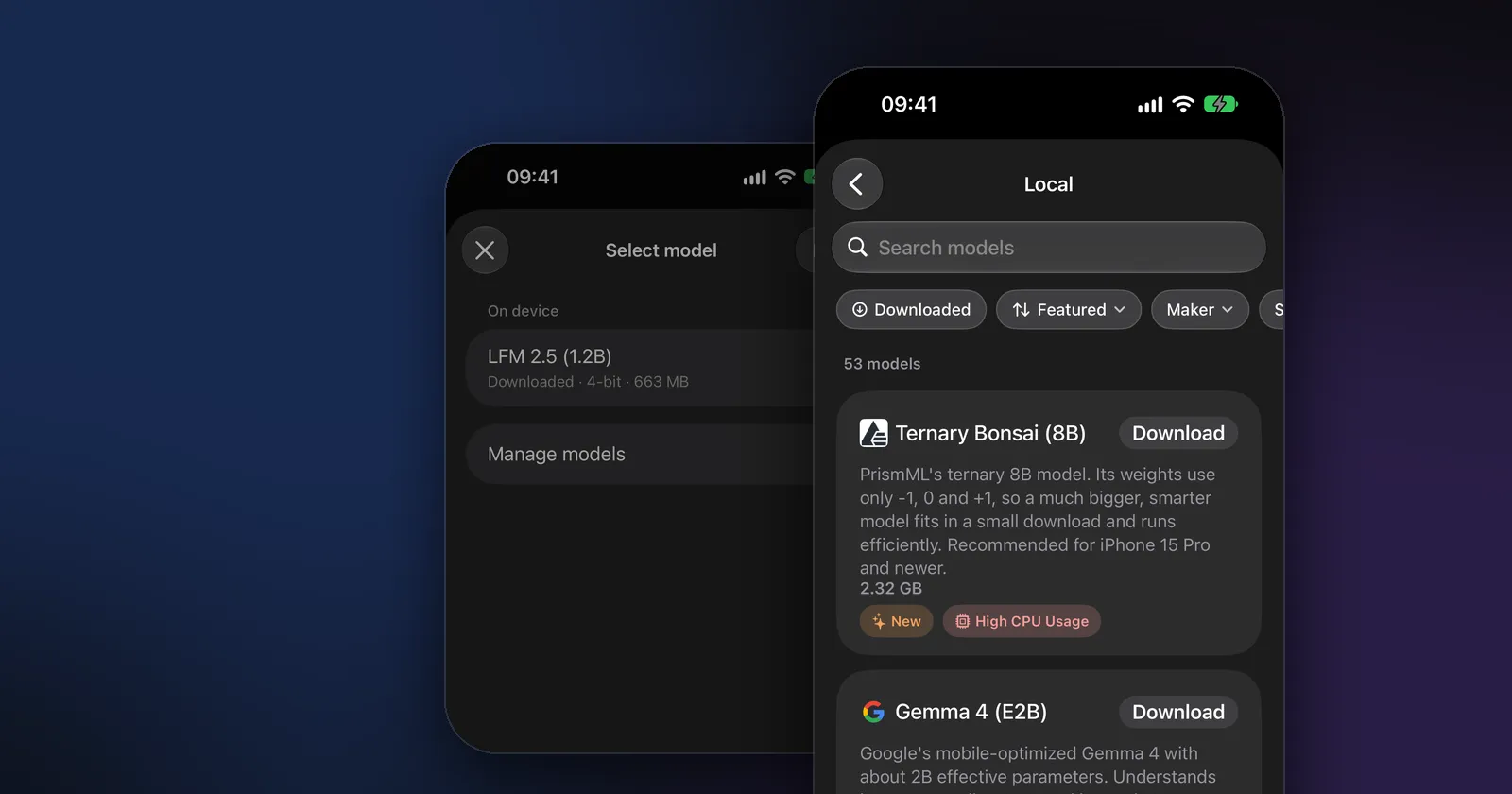
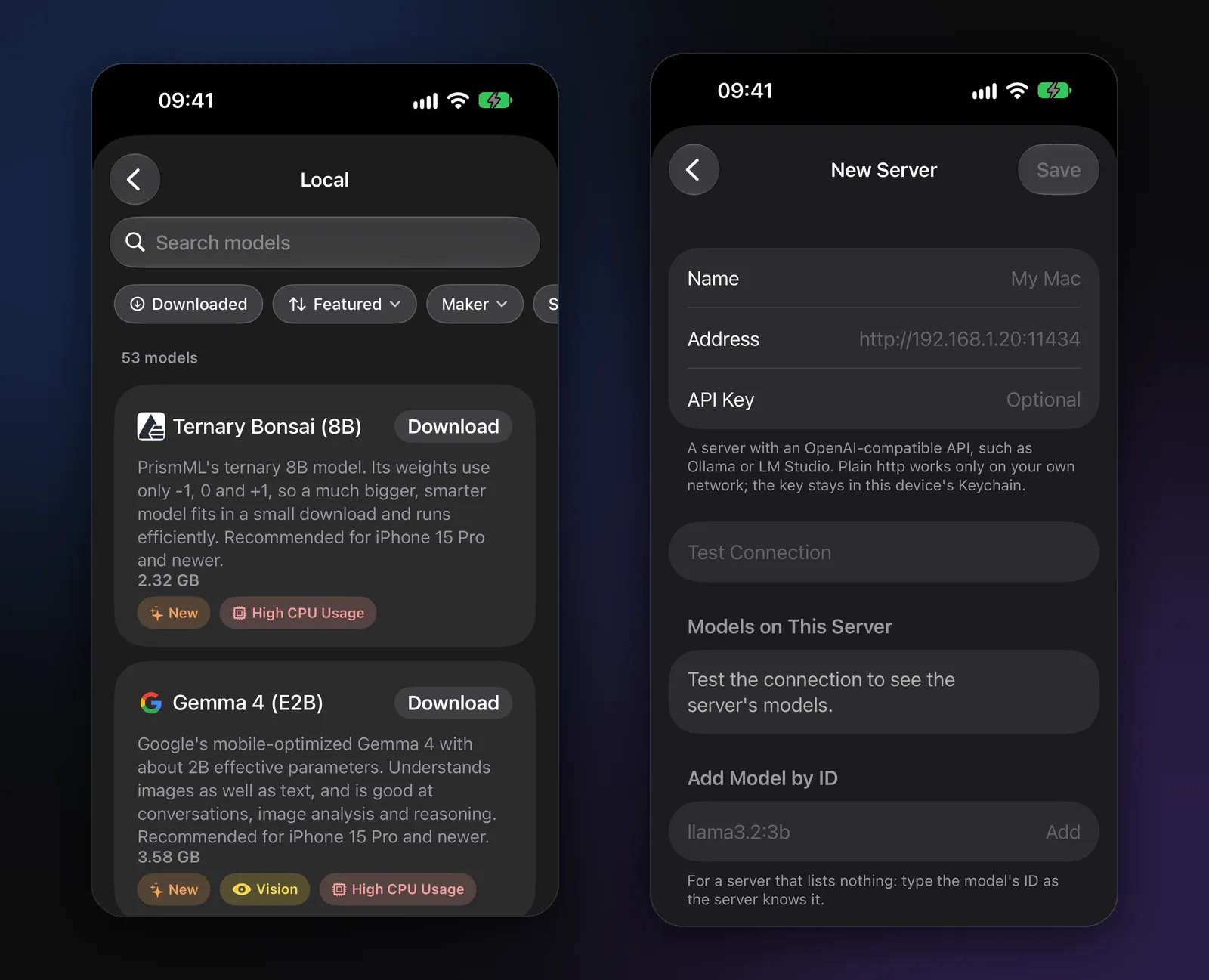
Modelbase is our free app for Macs with Apple silicon (macOS 15 or later), iPhone and iPad. It runs models with Apple’s MLX, comes with LFM 2.5 (1.2B) installed so it works offline from the first launch, and offers 53 curated open models (Qwen 3.5, Gemma 4, Llama 3.2, Phi 4 Mini, DeepSeek R1 and more) with their download sizes. On top of chat it has web search with numbered sources, voice mode, questions about photos, PDFs and documents, and iCloud sync through your own iCloud. Its App Store privacy label is “Data Not Collected”; there’s no account.
What it doesn’t do: it doesn’t search all of Hugging Face (the catalog is curated) and it doesn’t run a local API server for other apps. It can, however, connect to LM Studio, Ollama or OpenRouter as a client.
Private LLM
Private LLM is a paid app: as of November 2026, $4.99 once, which covers iPhone, iPad and Mac and can be shared with Family Sharing. It runs models with an engine based on mlc-llm and OmniQuant quantization, its site lists more than 140 models, and it integrates with Siri, Shortcuts and the Mac’s right-click menu for writing tools. The current App Store version handles text only; its description says it supports text-based models. Privacy label: “Data Not Collected”.
Locally AI by LM Studio
Locally AI, now part of LM Studio, is a free app that runs models such as Llama, Gemma and Qwen with Apple MLX, with image analysis, voice mode and Shortcuts. It can also connect to LM Studio on another computer through LM Link. On the Mac it requires macOS 26 or later. Privacy label: “Data Not Collected”.
Liquid Apollo
Liquid Apollo from Liquid AI is free for Macs with Apple silicon (macOS 15 or later), iPhone and iPad. It runs Liquid AI’s small models on the device and can connect to OpenRouter with your own key or to LM Studio or Ollama as a custom backend. Privacy label: “Data Not Collected”.
LM Studio alternatives
If you’re looking for an LM Studio alternative, the reason usually decides it:
- You want open source: Ollama (MIT), Jan (Apache-2.0), AnythingLLM (MIT) or GPT4All (MIT).
- You have an Intel Mac: Ollama (CPU only), Msty Studio or AnythingLLM.
- You want an App Store app that also runs on your iPhone: Modelbase, Private LLM, Locally AI or Liquid Apollo.
- You want documents and agents first: AnythingLLM or Msty Studio.
How to choose
- Your Mac. Every app here needs memory for the model you load: roughly its download size plus some room. Apple silicon Macs share one pool of memory between CPU and GPU, so total memory decides what fits (how memory and model size relate).
- Server or chat. If other apps (coding tools, scripts, your phone) should use the model, pick something with a server: LM Studio, Ollama, Jan, GPT4All or AnythingLLM.
- Open source or not. Some people need it for policy or trust; check the license column.
- One app across devices. Only the App Store apps run the same app on Mac, iPhone and iPad.
You can also combine them: run Ollama or LM Studio on your Mac as a server, and use it from your phone with an app like Modelbase, which also keeps working with its own models when you’re away from the Mac.
FAQ
What is the easiest way to run an LLM on a Mac?
An app with a built-in model download: LM Studio or Jan on the desktop, or an App Store app such as Modelbase, which comes with a model already installed. No Terminal needed in any of them.
Which apps run local LLMs on an Intel Mac?
Ollama (on the CPU only), Msty Studio and AnythingLLM list Intel Macs. LM Studio and Jan need Apple silicon, as do Modelbase and Liquid Apollo; check the other App Store apps’ requirements on their pages.
Is LM Studio free?
Yes, at home and at work, as of November 2026. Its paid plans add cloud models.
Which of these are open source?
Ollama, Jan, AnythingLLM and GPT4All. LM Studio’s app isn’t, though its CLI and SDKs are.
Do these apps send my chats anywhere?
When you use local models, they run on your Mac. Some of these apps also offer cloud models or providers; those requests go to that service. AnythingLLM has opt-out anonymous telemetry. The App Store apps listed here show “Data Not Collected” in their privacy labels.
Try it on your iPhone, iPad or Mac
Modelbase is free on the App Store.