Ollama GUI: apps to chat with Ollama on Mac, Windows, iPhone and the web
· By Modelbase Team
Ollama has had its own desktop app on macOS and Windows since July 2025, so the simplest Ollama GUI is Ollama itself. For more, there are three kinds of apps: web interfaces you host yourself (Open WebUI), desktop workspaces that use Ollama as one of their engines (Msty Studio, AnythingLLM), and phone apps that connect to your Ollama server over your network (Modelbase, Enchanted, Liquid Apollo, PocketPal AI). Which one fits depends on where you want to chat: at the computer, in a browser, or on your iPhone.
Every detail below comes from each app’s official site, docs or App Store page as of November 2026, linked in each section. Prices and features change, so check before you rely on them.
Quick comparison
| App | Where it runs | Price (as of Nov 2026) | Open source | Good for |
|---|---|---|---|---|
| Ollama app | macOS, Windows | Free | Yes (MIT) | The simplest chat window for Ollama |
| Open WebUI | Browser (self-hosted), desktop app | Free for standard use; enterprise license for white-labeling | Custom license (desktop app AGPL-3.0) | A ChatGPT-style web interface for a household or team |
| Msty Studio | macOS, Windows, Linux | Free; Aurum $149 per year | Not stated | A desktop workspace with several engines and cloud models |
| AnythingLLM | macOS, Windows, Linux, Docker | Desktop free | Yes (MIT) | Documents, agents and workspaces |
| Modelbase | iPhone, iPad, Mac | Free | No | Chatting with your Ollama server from your phone, plus models on the phone |
| Enchanted | iPhone, iPad, Mac | Free | Yes (Apache-2.0) | A minimal Ollama client |
| Liquid Apollo | iPhone, iPad, Mac | Free | Not stated | Ollama or LM Studio as a “custom backend”, plus Liquid AI’s on-device models |
| PocketPal AI | iPhone, iPad, Android | Free, with in-app purchases | Yes (MIT) | GGUF models on the phone, plus OpenAI-compatible servers |
Before you start: let other devices reach Ollama
A GUI on the same computer as Ollama works out of the box: Ollama listens on 127.0.0.1:11434. A browser on another
machine, or an app on your phone, needs Ollama to listen on your network. Ollama’s FAQ explains how
(Ollama FAQ):
- Mac (Ollama app): run
launchctl setenv OLLAMA_HOST "0.0.0.0:11434"in Terminal, then restart Ollama. - Linux or Windows: set the
OLLAMA_HOSTenvironment variable the way the FAQ describes for your system.
Then find your computer’s address on your network (on a Mac: System Settings > Wi-Fi, then Details next to your network), for example
192.168.1.20. Only do this on a network you trust: anyone on it can then use your Ollama.
Ollama’s own app (macOS and Windows)
Since July 2025, Ollama installs as a desktop app on macOS and Windows with a chat
window: pick a model, type, and drag in text files or PDFs to ask about them. It’s the right choice if you only chat on
the computer that runs Ollama. On Linux there’s no desktop app; you run ollama serve and use another interface.
Open WebUI (browser, self-hosted)
Open WebUI describes itself as a self-hosted platform built to run entirely offline. You install it with Docker, Python or its desktop app, and open it in a browser on any device on your network. It connects to Ollama and to any OpenAI-compatible provider, and adds a lot on top: knowledge bases and document chat, web search, voice input and output, image generation, tools and MCP support, and multiple users.
As of November 2026, standard use is free with the branding left intact; white-labeling needs an enterprise license (docs). Its license is a custom one, not a standard open-source license; the desktop app is AGPL-3.0. It’s the most complete web interface, and the most setup.
Msty Studio (macOS, Windows, Linux)
Msty Studio is a desktop workspace for chatting with models, organizing knowledge and reusing prompts. It can run models through Ollama, llama.cpp or MLX, and connect to cloud providers. Knowledge stacks (document chat) and MCP tools are included, with limits on the free plan.
As of November 2026: Free at $0, Aurum at $149 per user per year, or Aurum Lifetime at $349 (pricing). It runs on Apple silicon and Intel Macs (macOS 11 or later), Windows and Linux. We found no open-source license for it.
AnythingLLM (desktop and Docker)
AnythingLLM is an all-in-one app for chatting with your documents, building agents and organizing work into workspaces. It has a built-in engine and connects to Ollama, LM Studio and many cloud providers. The desktop app is free on macOS (Apple silicon and Intel), Windows and Linux, and the project is MIT licensed; hosted cloud plans are paid (pricing).
One thing to know: its README says the app has an anonymous telemetry feature, which you can turn off in the app’s
privacy settings or with DISABLE_TELEMETRY (GitHub).
On iPhone and iPad: apps that connect to Ollama
Ollama has no official iPhone app, but several App Store apps can talk to it over your network. All of them send your messages to your own computer, not to a cloud service.
Modelbase
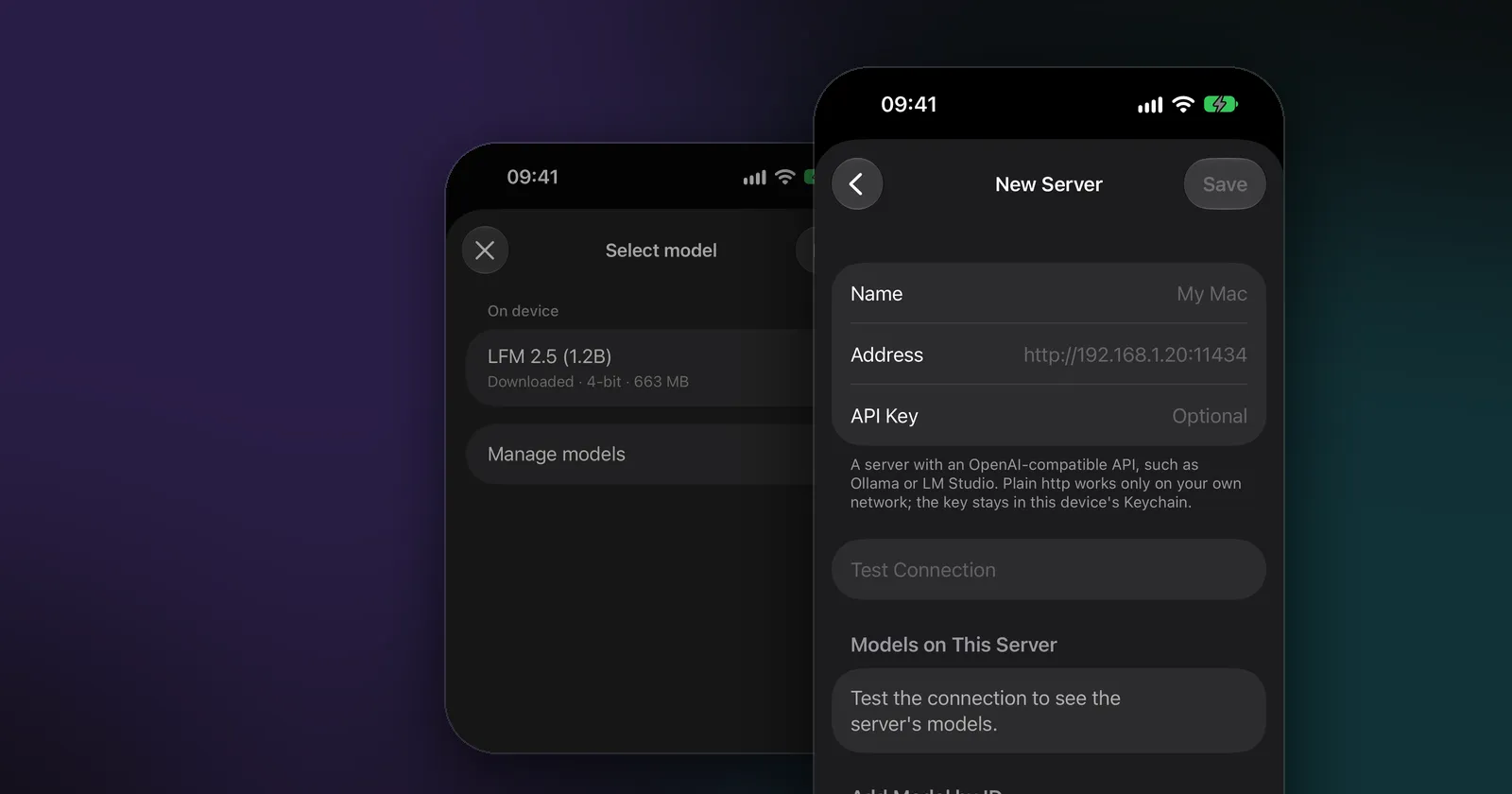
Modelbase is our app, so read this entry with that in mind. It’s a free chat app for iPhone, iPad (iOS 18 or later) and Macs with Apple silicon that runs open models on the device with MLX, and it can also connect to any OpenAI-compatible server, Ollama included:
- Tap the model’s name at the top of a chat, then Manage models, + and Custom Server.
- Enter a name and your computer’s address with Ollama’s port, for example
http://192.168.1.20:11434. Modelbase adds the/v1path itself; the API key is optional. - Tap Test Connection. Your Ollama models appear under Models on This Server. If a server lists none, type
a model’s ID as Ollama knows it, such as
llama3.2:3b, under Add Model by ID. - Save, then pick an Ollama model in the model picker. It sits next to the models on your phone.
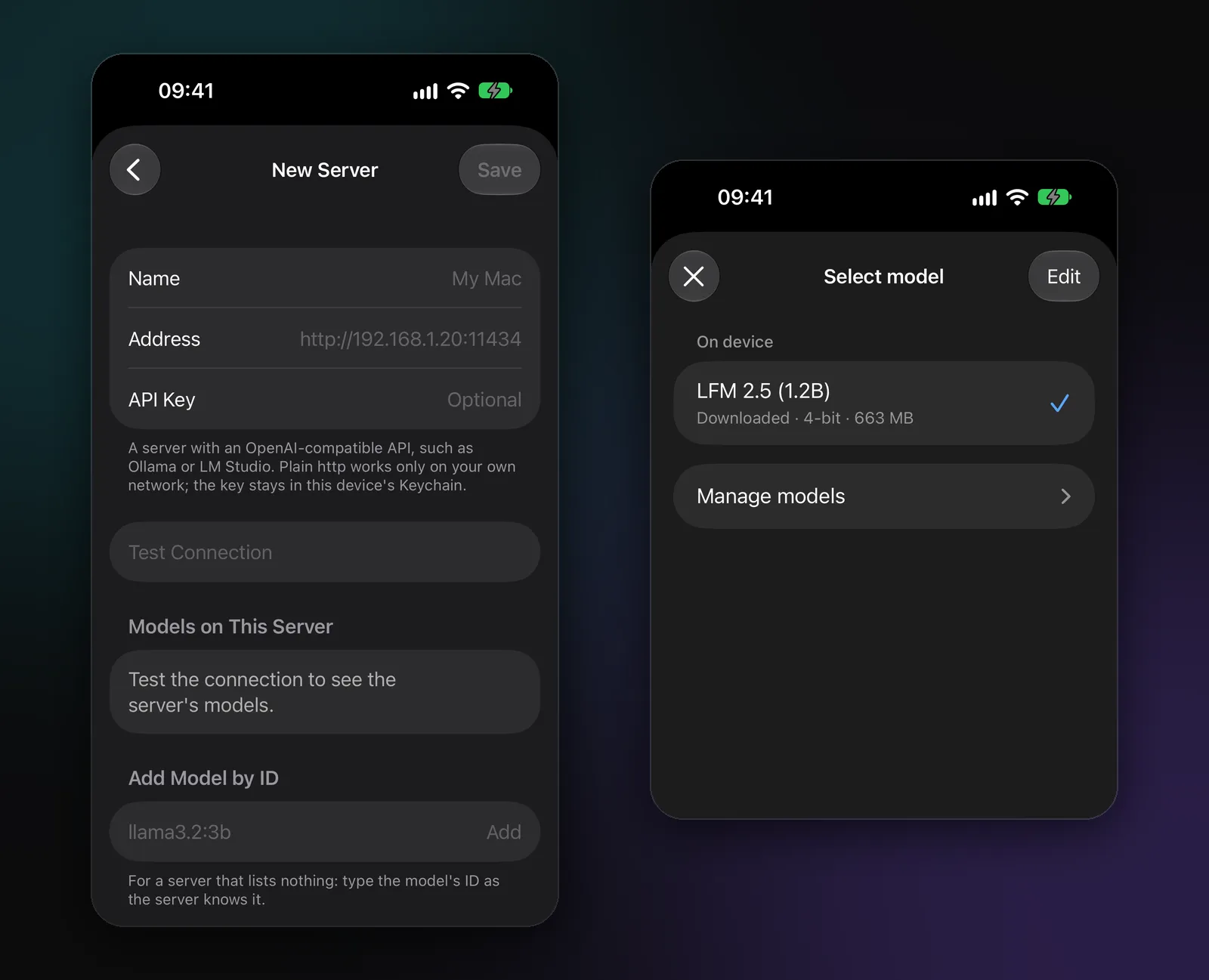
What’s different: when you leave home, Modelbase still works, because it also runs models on the phone itself (LFM 2.5 is included, and 53 more are a download away). It adds web search with sources, voice mode, photos, PDFs and iCloud sync of your chats through your own iCloud. For each server model you can set whether it accepts images and whether it can use tools. Plain http works only on your own network; outside it, the server needs https.
Enchanted
Enchanted is a free, open-source (Apache-2.0) Ollama client for iPhone, iPad and Mac, now listed on the App Store as “Enchanted Developers Only” under Developer Tools. It needs a running Ollama server whose address you enter in its settings, and it doesn’t run models itself. Its README lists voice prompts, image attachments, read-aloud and prompt templates (GitHub). As of November 2026, the App Store version was last updated in August 2025.
Liquid Apollo
Liquid Apollo, from Liquid AI, is a free app for iPhone, iPad and Mac. Its App Store description invites you to run an LLM on your computer with tools like LM Studio or Ollama and connect to it as a “custom backend”; it also runs Liquid AI’s small models on the device and connects to OpenRouter with your own key.
PocketPal AI
PocketPal AI is an open-source (MIT) app that runs GGUF models on the phone with llama.cpp, and since version 1.13.1 it can also connect to OpenAI-compatible servers such as LM Studio and Ollama. It’s free, with optional in-app purchases (PocketPal Plus and add-ons), and it’s also on Android.
Which Ollama GUI should you use?
- You chat at the computer that runs Ollama: start with Ollama’s own app.
- You want a ChatGPT-like web app for several people or devices: Open WebUI.
- You want a desktop workspace with documents, agents or several engines: AnythingLLM or Msty Studio.
- You want Ollama on your iPhone: Modelbase, Enchanted, Liquid Apollo or PocketPal AI. If you also want models that work when you’re away from home, pick one that runs models on the phone too (Modelbase, Liquid Apollo, PocketPal AI).
Not sure whether Ollama is the right server in the first place? See LM Studio vs Ollama.
FAQ
Does Ollama have a GUI?
Yes. Since July 2025, Ollama comes with a desktop app for macOS and Windows. On Linux, you use the command line or a separate interface such as Open WebUI.
What is the best web UI for Ollama?
For a browser interface, Open WebUI is the one built for the job: self-hosted, with document chat, voice, tools and multiple users. It needs Docker, Python or its desktop app to install.
Is there an Ollama app for iPhone?
Ollama has no official iPhone app. Apps such as Modelbase, Enchanted, Liquid Apollo and PocketPal AI connect to an Ollama server on your network.
How do I connect my iPhone to Ollama on my Mac?
Make Ollama listen on your network (launchctl setenv OLLAMA_HOST "0.0.0.0:11434", then restart Ollama), find your
Mac’s address, and add it in your iPhone app as a server, for example http://192.168.1.20:11434. Both devices must
be on the same network.
Is it safe to expose Ollama on my network?
Anyone on the same network can then send requests to it, so do it only at home or on another network you trust. Don’t open Ollama to the internet without putting authentication and https in front of it.
Try it on your iPhone, iPad or Mac
Modelbase is free on the App Store.