What is MLX? Apple's framework for running AI on Mac and iPhone
· By Modelbase Team
MLX is an open-source framework for machine learning on Apple silicon, made by Apple’s machine learning research team. Developers and apps use it to run, and train, AI models such as large language models directly on a Mac, iPhone or iPad, using the chip’s GPU and its unified memory. In Apple’s own words, MLX is “an array framework for machine learning on Apple silicon” (GitHub).
If you’ve seen “MLX” in a model’s name on Hugging Face, or in the settings of LM Studio, this is what it refers to. Here’s what MLX is, why it suits Apple devices, how it compares with GGUF, and what it means if you just want to chat with a model on your phone.
Who makes MLX, and why
MLX comes from Apple’s machine learning research group and was first released in December 2023 as an open-source project under the MIT license. It was built for researchers and developers who wanted to work with modern models, LLMs especially, on their own Macs instead of renting cloud GPUs.
Its design will feel familiar to anyone who has used Python for machine learning:
- A Python API that closely follows NumPy, plus full C++, C and Swift APIs.
- Lazy computation: arrays are only computed when their values are needed, which saves work.
- Unified memory: arrays live in memory shared by the CPU and GPU, so they don’t have to be copied between them.
Unified memory, in one paragraph
On a typical PC, the graphics card has its own memory, and a model has to fit in it: that’s why “VRAM” comes up so often in local-AI guides. Apple silicon chips (the M-series in Macs and the A-series in iPhones) have one pool of memory that the CPU and GPU share. MLX is built around that: the GPU can work on a model’s weights where they already are. In practice, the total memory of your Mac or iPhone, not a separate graphics card, decides how big a model you can run.
The pieces: MLX, MLX LM, MLX Swift and mlx-community
| Name | What it is | Who uses it |
|---|---|---|
| MLX | The core array framework (Python, C++, C, Swift) | Researchers and developers |
| MLX LM | A Python package on top of MLX for generating text with LLMs and fine-tuning them | Developers on the Mac command line |
| MLX Swift | MLX for Swift, with LLM and vision-language model code in the companion mlx-swift-lm | iPhone, iPad and Mac apps |
| mlx-community | A Hugging Face organization that publishes popular open models converted to MLX | Everyone who downloads MLX models |
When you see a model named like mlx-community/Qwen3.5-2B-4bit, it’s a Qwen 3.5 model converted to MLX’s format and
quantized to 4 bits per weight, ready for MLX to load.
MLX vs GGUF and llama.cpp
The other big way to run models locally is llama.cpp and its file format, GGUF. Many desktop apps are built around GGUF files; Ollama, which started on llama.cpp, has also run on MLX on Apple silicon since 2026. Both approaches do the same job, running a quantized model on your own hardware, but they come from different places.
| MLX | GGUF (llama.cpp) | |
|---|---|---|
| What it is | A machine learning framework, plus models converted for it | A model file format and the inference engine around it |
| Made by | Apple’s machine learning research | The open-source llama.cpp community |
| Runs on | Apple silicon (Mac, iPhone, iPad) | Many platforms: CPUs and GPUs, including Apple’s Metal |
| Quantization | 4-bit and 8-bit are common; other bit widths too | Many quantization types (Q4_K_M, Q8_0 and others) |
| Main use | Running models, and training or fine-tuning them on a Mac | Running models |
| Where to find models | mlx-community and model makers on Hugging Face | Thousands of GGUF uploads on Hugging Face |
Which is faster depends on the model, the chip and the version of each tool, so there’s no single answer. If you’re only on Apple devices, MLX is a natural fit; if you move between Windows, Linux and Mac, GGUF is the more portable format. LM Studio and Ollama on the Mac can run both (how they compare).
How Modelbase uses MLX
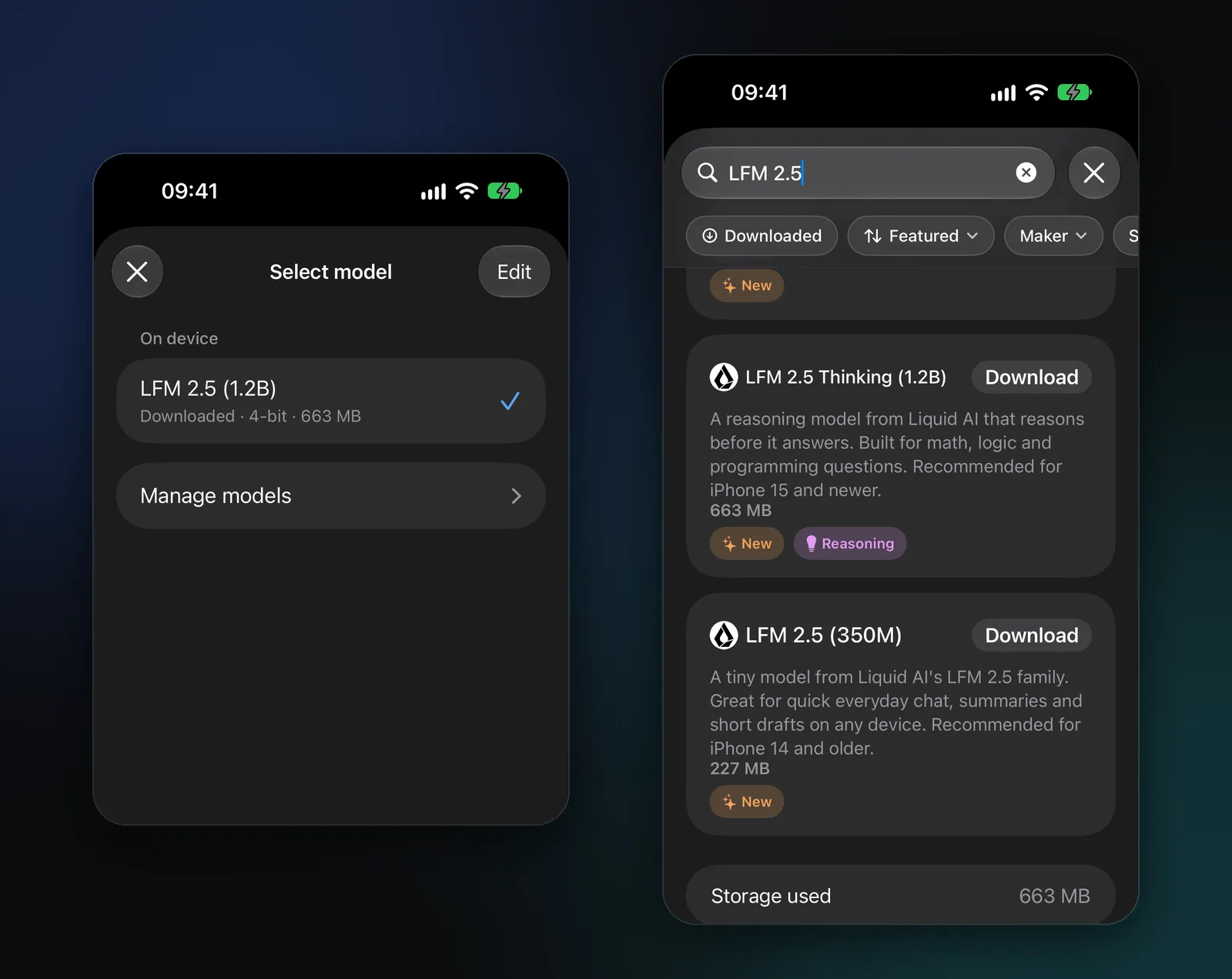
Modelbase is a free chat app for iPhone, iPad and Mac that runs its models with MLX Swift. You never see MLX itself: you see a list of models, a Download button and a chat.
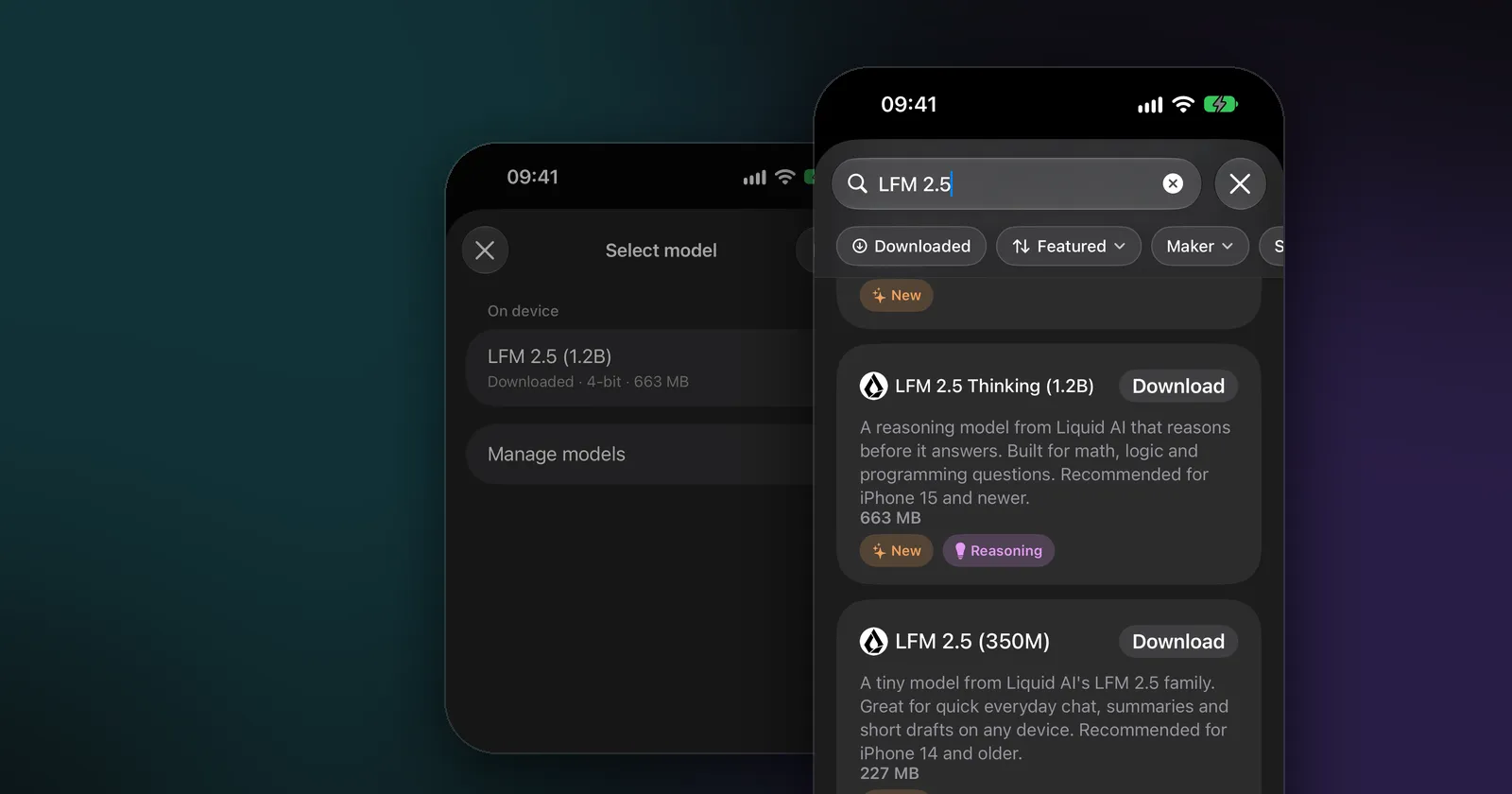
- The first model is already inside. LFM 2.5 (1.2B) by Liquid AI comes with the app as an MLX model, 4-bit and 663 MB, so the chat works from the first launch, offline.
- 53 models in MLX format. The catalog includes Qwen 3.5, Gemma 4, Llama 3.2, Phi 4 Mini, Granite 4.0, Ministral 3, SmolLM 3, MiniCPM 5, DeepSeek R1 and LFM 2.5; 49 of them come from mlx-community. Fifty are 4-bit; the others are Ternary Bonsai (8B) with 2-bit weights and the two SmolVLM 2 models, which keep their weights unquantized.
- Everything runs on the device. The model loads into your device’s memory and your chip writes the answer, so your chats stay on your device.
Should you use MLX yourself?
If you just want to chat with a model on your iPhone or Mac: you don’t need to install anything. An app that uses MLX, like Modelbase, handles the downloads, memory and settings for you. Our guide to running an LLM locally walks through it.
If you’re a developer on a Mac: MLX LM is the quickest way in. With Python installed:
pip install mlx-lm
mlx_lm.generate --model mlx-community/Qwen3.5-2B-4bit --prompt "Explain unified memory in one sentence."
The first run downloads the model from Hugging Face. From there, MLX LM can also run a local server, convert and quantize models, and fine-tune them on your own data.
If you’re building an app: MLX Swift and mlx-swift-lm bring the same models to iOS, iPadOS and macOS, which is how apps like Modelbase run LLMs and vision models on a phone.
FAQ
What does MLX stand for?
Apple doesn’t spell it out. It’s simply the framework’s name: think “machine learning” on Apple silicon.
Does MLX work on iPhone and iPad?
Yes, through MLX Swift. Apps use it to run language and vision models on the device. Modelbase is one example: it runs its models with MLX on iPhone and iPad with iOS 18 or later.
Does MLX work on Intel Macs?
No. MLX is built for Apple silicon and its unified memory, so on a Mac it needs an M-series chip.
Does MLX use the Neural Engine?
No. MLX runs on the CPU and the GPU. Apple’s Core ML is the framework that can also use the Neural Engine.
Is MLX free?
Yes. MLX is open source under the MIT license, and the models published in MLX format are free to download (each under its own license).
What does “4bit” in an MLX model’s name mean?
Each of the model’s weights is stored in 4 bits instead of 16, which makes the download about a quarter of the size with a small loss in quality. Our explainer on small language models covers parameters and quantization in more detail.
Try it on your iPhone, iPad or Mac
Modelbase is free on the App Store.