
How to run DeepSeek R1 locally on iPhone and Mac
· By Modelbase Team
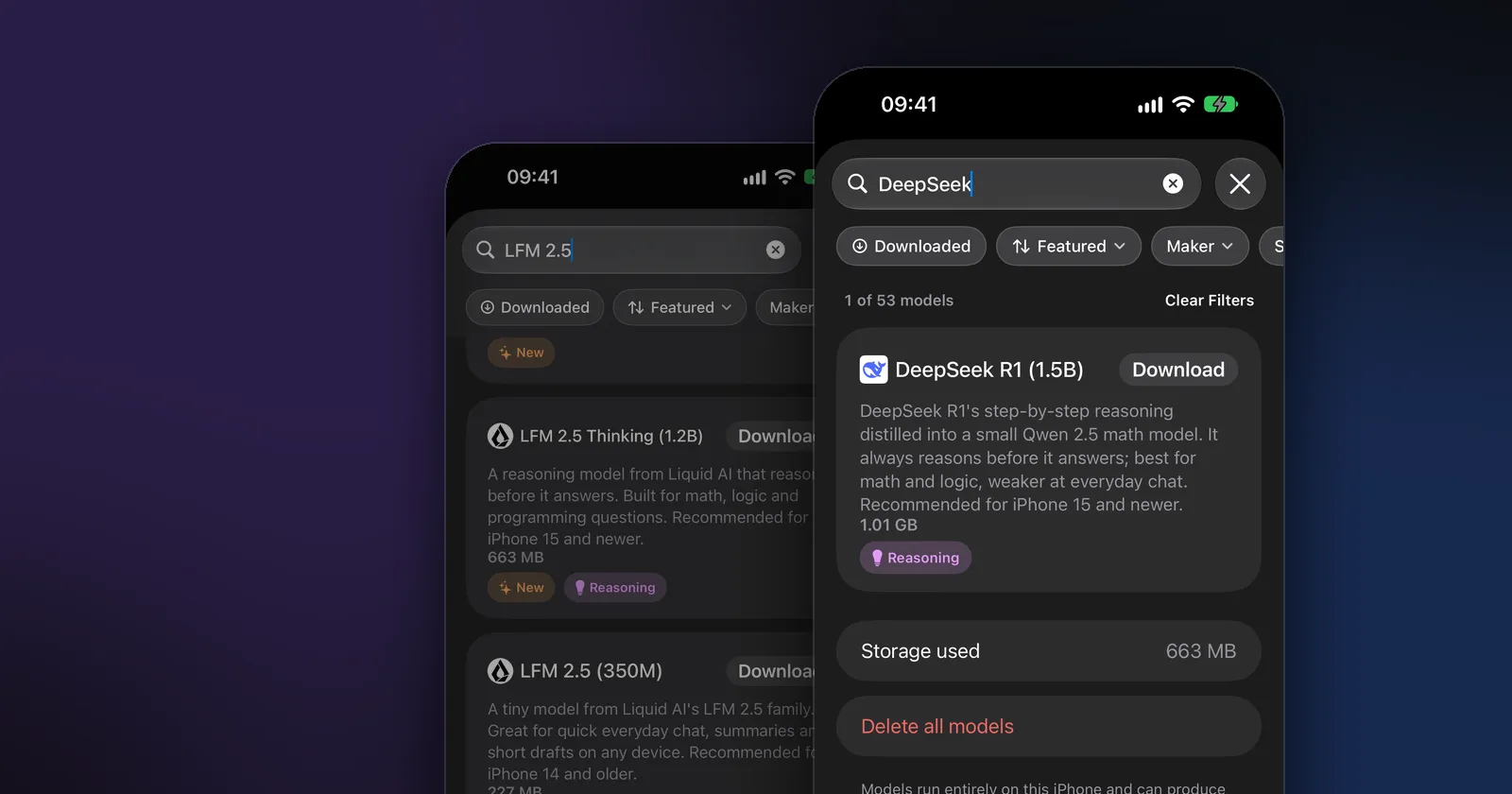
Yes, you can run DeepSeek R1 locally on an iPhone or a Mac, but not the full model. The DeepSeek R1 you can run on a phone is DeepSeek-R1-Distill-Qwen-1.5B, a small model that DeepSeek trained to reason step by step like R1. In Modelbase it’s listed as DeepSeek R1 (1.5B): a 1.01 GB download that runs entirely on your device, offline and in private.
Below: how the small model differs from the real R1, how to run it on iPhone and Mac, how to get good answers from it, and which other reasoning models are worth trying.
DeepSeek R1 vs the distilled models
DeepSeek released R1 in January 2025, together with a family of smaller “distilled” models. Distillation means training a small model on the answers of a big one, so it picks up the big model’s habits; here, R1’s habit of thinking through a problem before it answers.
| Model | Parameters | Based on | Runs on |
|---|---|---|---|
| DeepSeek R1 | 671B in total, 37B active per token | DeepSeek’s own | Servers |
| R1 Distill Llama 70B | 70B | Llama 3.3 70B Instruct | Big workstations and servers |
| R1 Distill Qwen 32B / 14B | 32B / 14B | Qwen 2.5 32B / 14B | Macs with plenty of memory |
| R1 Distill Llama 8B | 8B | Llama 3.1 8B | Macs |
| R1 Distill Qwen 7B | 7B | Qwen 2.5 Math 7B | Macs |
| R1 Distill Qwen 1.5B | 1.5B | Qwen 2.5 Math 1.5B | iPhone, iPad and Mac |
Source: DeepSeek’s model card on Hugging Face. The models are released under the MIT license.
So when a guide says “run DeepSeek on your phone”, it means the 1.5B distill. It reasons the way R1 does, but it is about 450 times smaller than the full model, and it knows correspondingly less. Its base is a math model, which is why it shines on math and logic and is weaker at everyday chat. Modelbase’s own description says exactly that: “best for math and logic, weaker at everyday chat.”
What you need
- An iPhone or iPad with iOS 18 or later, or a Mac with Apple silicon and macOS 15 or later. The app recommends DeepSeek R1 (1.5B) for iPhone 15 and newer.
- About 1 GB of free storage.
- A connection once, to download the model. After that it runs offline.
How to run DeepSeek R1 on iPhone
- Install Modelbase from the App Store (free, no account).
- Open Manage models. In a chat, tap the model’s name at the top, then Manage models > Local.
- Search for “DeepSeek”. The catalog shows DeepSeek R1 (1.5B), 1.01 GB, with a Reasoning tag.
- Tap Download. The card shows the progress, then a checkmark when the model is ready.
- Pick it in the chat. Tap the model’s name again and choose DeepSeek R1 (1.5B) under “On device”.
- Ask a question. The model thinks first, then answers. You can open its reasoning to read how it got there.
Once it’s downloaded, turn on airplane mode and try it: DeepSeek R1 keeps answering with no connection.
How to run DeepSeek on a Mac
People searching for “DeepSeek for Mac” usually want one of two things, and Modelbase covers both.
The same model, natively. Modelbase runs on Macs with Apple silicon (macOS 15 or later). The steps are the same as on iPhone: open the model picker, go to Manage models, search for DeepSeek and download it. The model runs on your Mac’s chip with Apple’s MLX, with nothing to install from the Terminal.
A bigger DeepSeek distill. A Mac with more memory can run the 7B, 8B or 14B distills in a desktop tool such as LM Studio or Ollama (which to choose). Modelbase can connect to such a tool as a server of your own (Settings > BYOK), so the bigger model shows up in the model picker on your Mac, and on your iPhone too while it’s on the same network.
How to get good answers from DeepSeek R1 (1.5B)
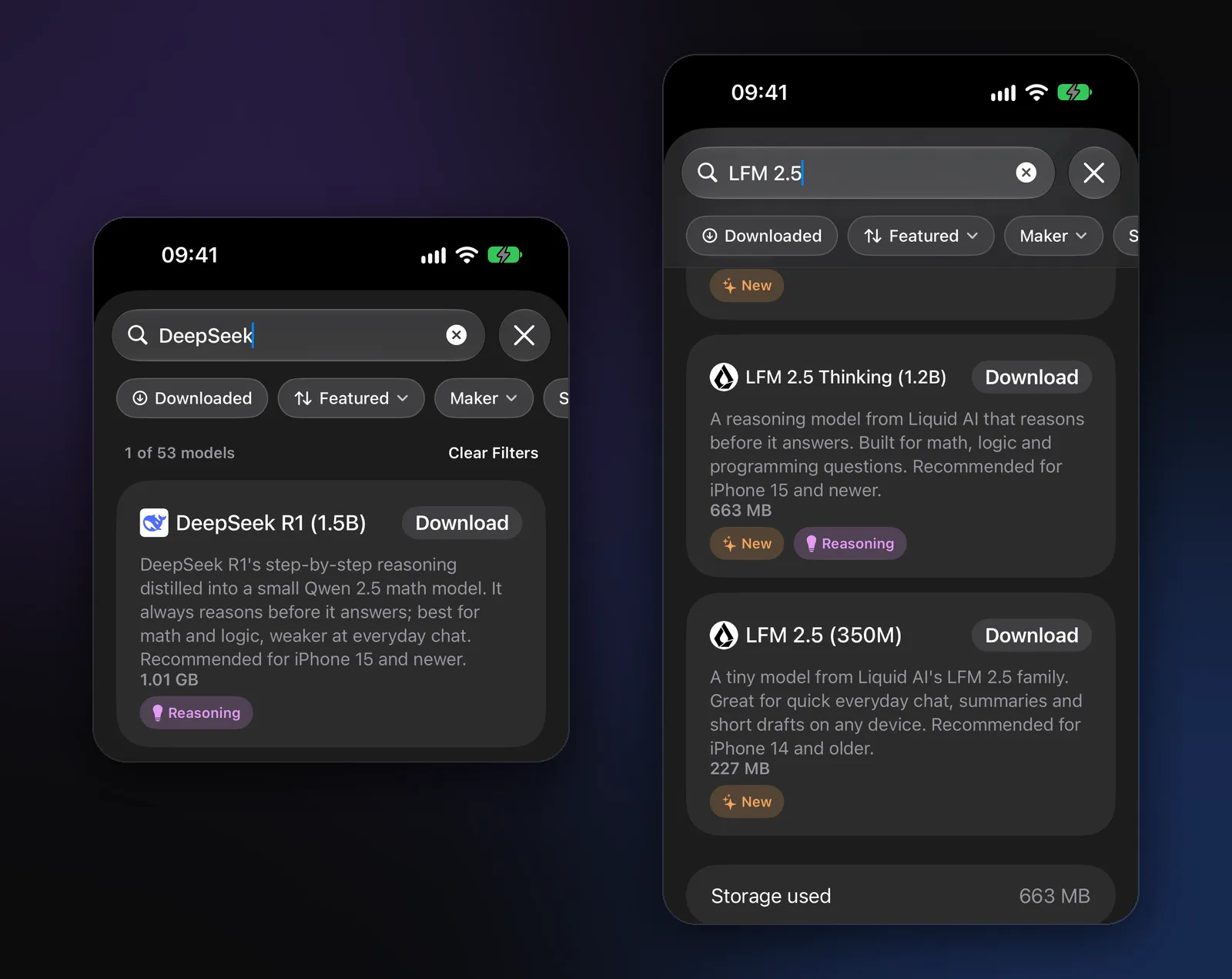
Give it the right kind of question. It’s at its best with problems that have a clear answer: arithmetic and algebra, word problems, unit conversions, logic puzzles, checking a calculation. For writing emails or chatting, a general model like LFM 2.5 (1.2B) or Qwen 3.5 is the better choice.
Put everything in your message. DeepSeek recommends keeping all instructions in the question itself rather than in a system prompt. In Modelbase, that means writing what you need in the message rather than relying on an assistant’s custom instructions.
Ask it to show its steps. For math, DeepSeek suggests asking the model to reason step by step and give the final answer clearly at the end, for example: “Solve this step by step and put the final answer on its own line.”
Choose the thinking level. Modelbase has three thinking levels in the message field: Instant, Medium and High. DeepSeek R1 always reasons, so it offers Medium and High only. Medium is quicker; High lets it think longer on hard problems. What is a reasoning model? explains the levels in detail.
Expect it to think before it answers. Reasoning models write out their thinking first, so an answer takes longer than with a chat model. On a phone, short, well-defined questions work best.
Other reasoning models to try
DeepSeek R1 isn’t the only model in Modelbase that thinks before it answers. All of these run on the device:
| Model | Maker | Download | Thinking |
|---|---|---|---|
| LFM 2.5 Thinking (1.2B) | Liquid AI | 0.66 GB | Always |
| DeepSeek R1 (1.5B) | DeepSeek | 1.01 GB | Always |
| Qwen 3 Thinking (4B) | Qwen | 2.28 GB | Always |
| Qwen 3.5 (0.8B / 2B / 4B) | Qwen | 0.65 / 1.75 / 3.06 GB | Optional |
| MiniCPM 5 (1B / 2B) | OpenBMB | 0.62 / 1.43 GB | Optional |
| SmolLM 3 (3B) | Hugging Face | 1.75 GB | Optional |
Models with optional thinking let you pick Instant for quick replies and switch to Medium or High when a question needs it. LFM 2.5 Thinking is the lightest, built by Liquid AI for math, logic and programming questions. Qwen 3 Thinking (4B) is the largest: the July 2025 reasoning update of Qwen 3, for phones and Macs with more memory.
Is a local DeepSeek private?
The DeepSeek app and website run DeepSeek’s full-size models on DeepSeek’s servers, so everything you type there is sent to them. A local copy works differently: the model file is on your device and your device does the thinking, so your questions never leave it. Modelbase has no account and no analytics, and we never receive your chats. It’s the same model family; only where it runs is different.
FAQ
Can an iPhone run DeepSeek?
Yes, the 1.5B distilled version. In Modelbase it’s called DeepSeek R1 (1.5B), takes 1.01 GB and runs fully on the device. The app recommends it for iPhone 15 and newer. The full 671-billion-parameter R1 needs servers and can’t run on a phone.
Is the 1.5B model the “real” DeepSeek R1?
It’s an official DeepSeek model, distilled from R1 and built on Qwen 2.5 Math 1.5B. It reasons in R1’s style but is far smaller, so expect good results on math and logic and weaker ones on general knowledge.
Does DeepSeek R1 work offline?
The local version does. Once DeepSeek R1 (1.5B) is downloaded in Modelbase, it answers in airplane mode. The DeepSeek app itself needs an internet connection.
Can I run DeepSeek on my Mac?
Yes. Modelbase runs DeepSeek R1 (1.5B) on Macs with Apple silicon. For a bigger distill, run it in a desktop tool and connect Modelbase to it as your own server.
Why does DeepSeek R1 take so long to answer?
It writes out its reasoning before the answer; that’s what makes it good at math. Use Medium instead of High for quicker answers, or a chat model with Instant when you don’t need step-by-step thinking.
How much context does it handle?
The model’s context window is 131,072 tokens. Modelbase picks how much of it to use from your device’s memory, since a longer conversation takes more memory.
Try it on your iPhone, iPad or Mac
Modelbase is free on the App Store.