
What is a reasoning model? How AI "thinking" works, and what thinking levels do
· By Modelbase Team
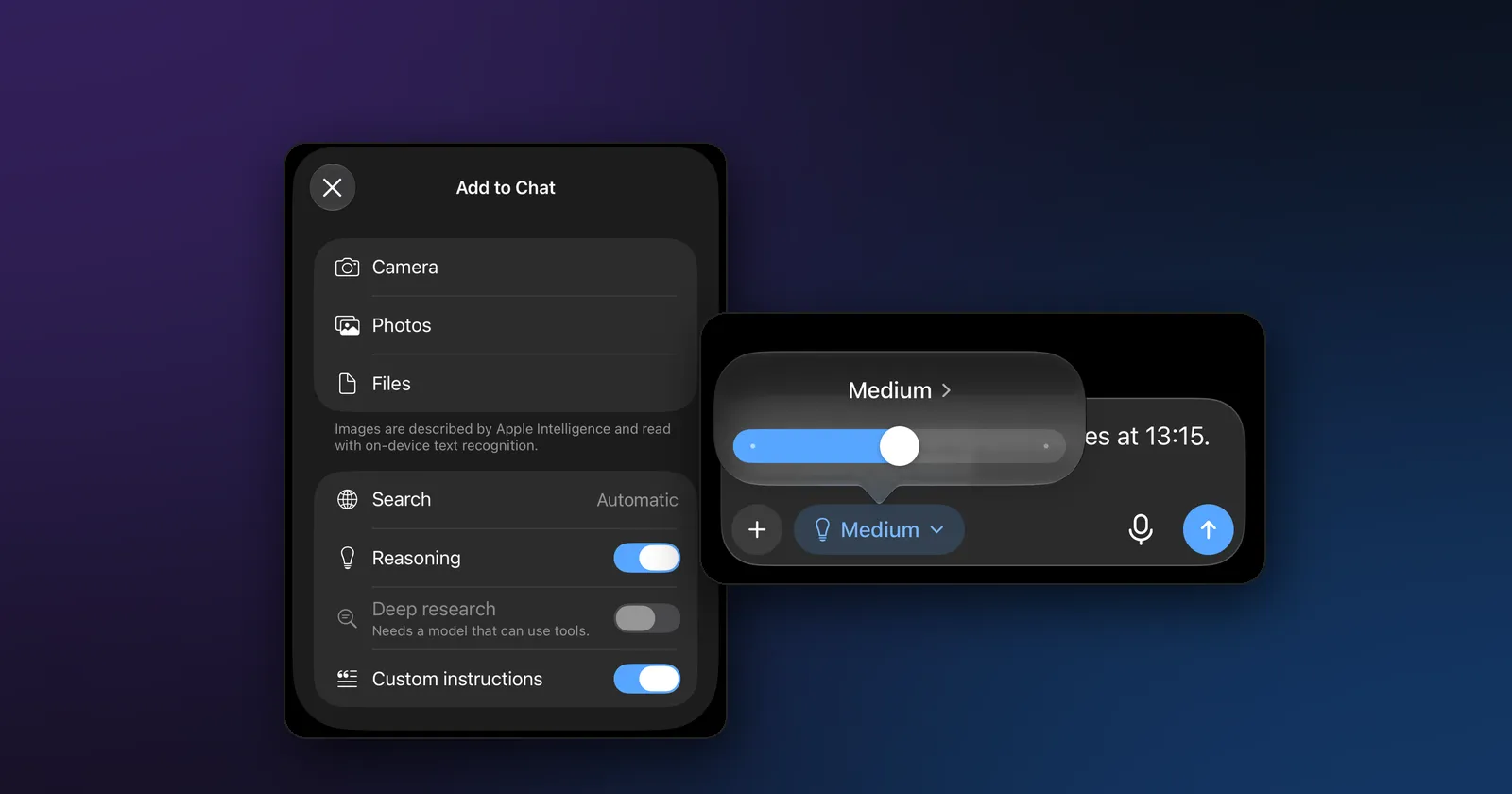
A reasoning model is a language model that thinks before it answers. Instead of writing the reply straight away, it first writes out its working, step by step, and only then gives the final answer. That extra thinking makes it better at math, logic and multi-step problems, and slower at everything else. Many open models can now reason, including small ones that run on an iPhone or a Mac, and apps like Modelbase let you choose how much they think.
This guide explains what reasoning models are, how they work, when thinking is worth the wait, and what the Instant, Medium and High thinking levels actually do.
What is a reasoning model?
An ordinary chat model reads your message and starts writing its answer at once, word by word. A reasoning model writes something else first: a block of thinking in which it restates the problem, tries an approach, checks its work and changes course if something doesn’t add up. The answer comes after that.
The idea went mainstream with OpenAI’s o1, which OpenAI introduced in September 2024 as a model that “thinks before it answers” and can “produce a long internal chain of thought before responding” (OpenAI). In January 2025, DeepSeek published DeepSeek-R1 and showed that this kind of reasoning can be taught with reinforcement learning, then passed on to much smaller models (DeepSeek-R1 paper). Those smaller “distilled” models are why you can run a reasoning model on a phone today.
How do reasoning models work?
Three ideas explain most of it.
- Thinking is just more text. The reasoning is written in the same way as the answer, one token at a time (a token is a word or a piece of a word; see what a token is). The app usually hides it behind a line such as “Thought for 12s”, and you can open it to read along.
- More thinking, better answers, up to a point. OpenAI reported that o1’s results improved “with more time spent thinking”, which it called test-time compute (OpenAI). A model that is allowed to work through a problem makes fewer careless mistakes than one that has to blurt out the answer.
- It is trained, not prompted. You can ask any model to “think step by step”, but reasoning models are trained for it. DeepSeek trained R1 with reinforcement learning on problems whose answers can be checked, and reports that self-checking and changing strategy emerged from that training (DeepSeek-R1 paper).
The price is time. Every word of thinking has to be generated before the answer starts, so a reply that thinks for 800 tokens takes noticeably longer than one that doesn’t, especially on a phone.
Reasoning model vs regular LLM
| Regular chat model | Reasoning model | |
|---|---|---|
| What it writes | The answer | Its thinking, then the answer |
| Best at | Writing, rewriting, summaries, quick facts, chat | Math, logic puzzles, planning, step-by-step problems |
| Speed | Starts answering at once | Waits while it thinks |
| Length of output | Just the reply | Reply plus hundreds or thousands of tokens of thinking |
| Typical mistakes | Confident slips on multi-step problems | Overthinking simple questions; can still be wrong |
A reasoning model isn’t smarter at everything. It doesn’t know more facts than a regular model of the same size, and for a thank-you note or a summary, thinking adds a wait without adding much.
When thinking helps, and when it doesn’t
Turn thinking on for:
- math and word problems (“If a train leaves at…”), unit conversions with several steps, percentages;
- logic puzzles and riddles;
- planning with constraints (“a three-day itinerary, no more than two hours of driving a day”);
- checking an argument or finding the flaw in a plan;
- tricky questions where the obvious answer is wrong.
Leave it off for:
- writing, rewriting and translating;
- summaries of a text or a document;
- quick factual questions and casual chat;
- voice conversations, where a long pause feels broken. (Modelbase’s voice mode answers without thinking for this reason.)
Hybrid and always-thinking models
There are two kinds of reasoning models.
- Hybrid models can answer either way. Qwen 3, released in April 2025, introduced a thinking mode, in which “the model takes time to reason step by step”, and a non-thinking mode for “quick, near-instant responses” (Qwen). Qwen 3.5, MiniCPM 5, SmolLM 3 and Granite 3.3 work the same way.
- Always-thinking models reason before every answer. DeepSeek R1, Qwen 3 Thinking and LFM 2.5 Thinking are of this kind.
These are the models in Modelbase’s catalog that can think, with their download sizes in the app:
| Model | Kind | Download |
|---|---|---|
| Qwen 3.5 (0.8B / 2B / 4B) | Hybrid, also sees images | 0.65 / 1.75 / 3.06 GB |
| Qwen 3 (0.6B / 1.7B / 4B) | Hybrid | 0.35 / 0.98 / 2.28 GB |
| MiniCPM 5 (1B / 2B) | Hybrid | 0.62 / 1.43 GB |
| SmolLM 3 (3B) | Hybrid | 1.75 GB |
| Granite 3.3 (2B) | Hybrid | 1.43 GB |
| LFM 2.5 Thinking (1.2B) | Always thinks | 0.66 GB |
| DeepSeek R1 (1.5B) | Always thinks | 1.01 GB |
| Qwen 3 Thinking (4B) | Always thinks | 2.28 GB |
For the smallest iPhones, LFM 2.5 Thinking and Qwen 3 (0.6B) are the light options; on a recent iPhone Pro or a Mac, Qwen 3.5 (4B) and Qwen 3 Thinking (4B) are the strongest thinkers in the list. Our DeepSeek R1 guide covers the most famous of them, and Qwen vs DeepSeek compares the two families.
Thinking levels: Instant, Medium and High
When the current model can reason, Modelbase shows a Thinking effort control in the composer, a pill with a light bulb and the level’s name. It has three levels, the same idea as the effort settings of cloud chatbots:
| Level | What happens on your device | With an OpenRouter model |
|---|---|---|
| Instant | No thinking: the model answers at once | Reasoning is not requested |
| Medium | The model thinks for up to 1,024 tokens, then wraps up and answers | Sent as reasoning effort “medium” |
| High | The model thinks as long as it needs, within the reply’s length | Sent as reasoning effort “high” |
A model that runs on your device has no effort setting of its own, so for Medium the app counts the thinking tokens and, at 1,024, has the model close its thinking and answer from what it has worked out so far. High has no such cap. Models that always think offer only Medium and High, because they can’t skip the thinking.
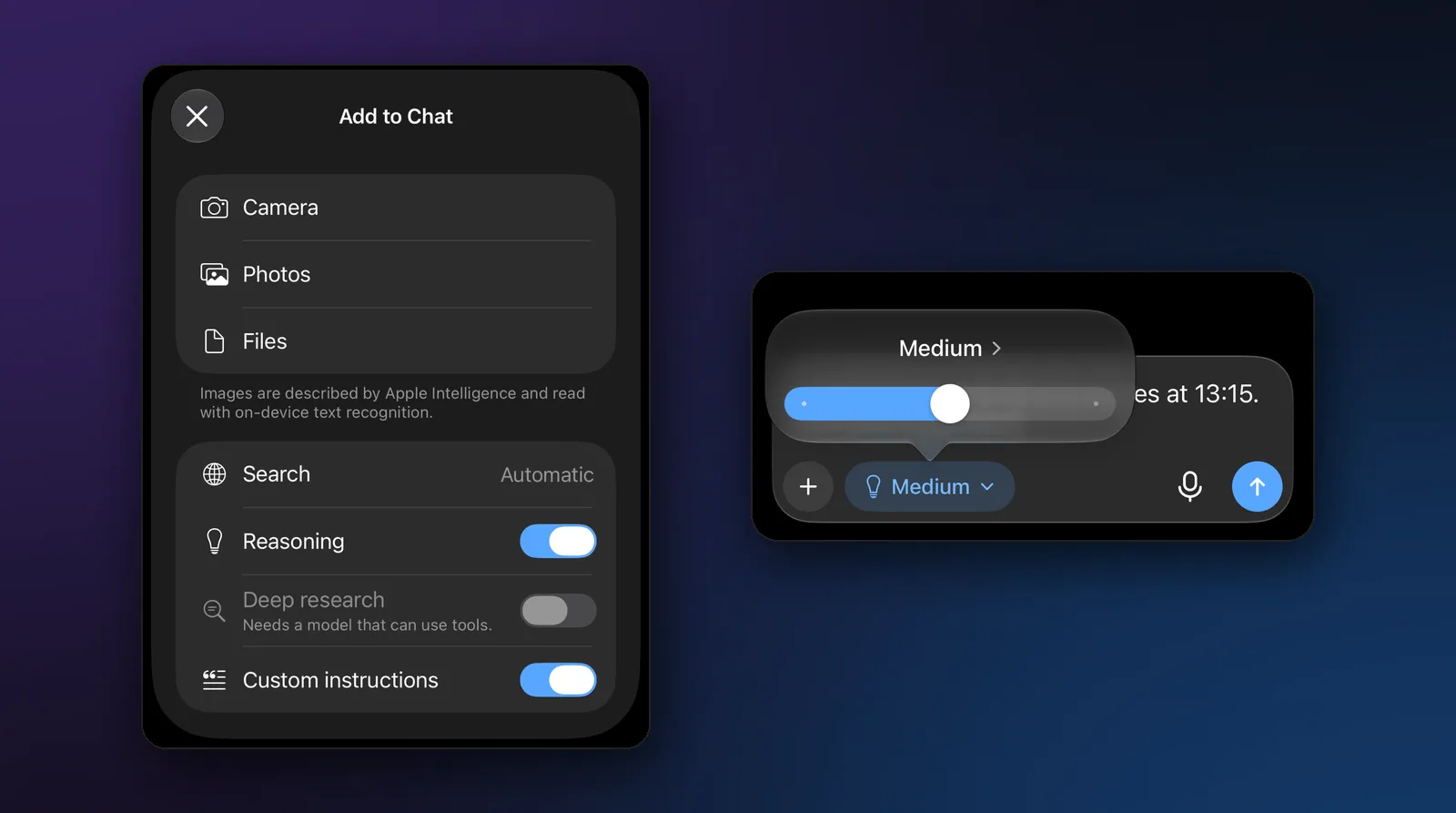
How to change the thinking level
- Pick a model that can think: tap the model’s name at the top of the chat. To add one, tap Manage models > Local and download one of the models above.
- Tap the light-bulb pill next to the message field.
- Drag the slider to Instant, Medium or High (or tap the level’s name to step through them). The chat keeps your choice.
You can also turn thinking on or off with the Reasoning switch in the + menu’s Add to Chat sheet.
While the model reasons, the reply shows “Thinking…”; when it’s done, a “Thought for” line sits above the answer. Tap it to read the reasoning, which is often the best way to see why an answer is wrong.
On an iPhone with little memory, the app warns that reasoning is slow on that iPhone. Thinking means generating many more tokens, so on older phones, Instant with a good regular model is often the better everyday choice.
Tips for getting good answers from a reasoning model
- Give it the whole problem. State every number and constraint in one message; reasoning models are good at using what you give them and no better than others at guessing what you left out.
- Start with Medium. It covers most homework-style problems. Switch to High when the answer looks rushed or the thinking stops mid-way.
- Ask for the final answer on its own line. “Show the result as a single number at the end” makes it easy to check.
- Check what matters. A small reasoning model makes fewer slips than a small regular model, not zero. Read the thinking for the step that went wrong.
- Don’t use it for facts it doesn’t know. Thinking can’t recall what the model never learned. For current events and prices, use web search instead.
Reasoning on a phone vs in the cloud
The reasoning models in the cloud are far larger than anything a phone can hold, and they solve harder problems. A 1.5B or 4B model that runs on your iPhone is best at the everyday kind: school math, logic, planning, checking your own work. In exchange, it runs offline, costs nothing per question, and keeps your problem on your device.
If you sometimes need more, Modelbase can also use cloud reasoning models through OpenRouter with your own key, next to the local ones, and the same Instant, Medium and High control applies to them. For the bigger picture, see how to run an LLM locally on iPhone, iPad and Mac.
Modelbase is free on the App Store for iPhone and iPad (iOS 18 or later) and Macs with Apple silicon (macOS 15 or later), and needs no account.
FAQ
What is the difference between a reasoning model and an LLM?
A reasoning model is an LLM. The difference is training: a reasoning model has learned to write out its thinking before the answer, which makes it better at math and logic and slower to reply.
Are reasoning models always better?
No. They help with problems that have several steps. For writing, summaries, translation and quick questions they mostly add waiting time, so a regular model or the Instant level is the better choice there.
Can I run a reasoning model on my iPhone?
Yes. Small reasoning models such as LFM 2.5 Thinking (0.66 GB), DeepSeek R1 (1.5B, 1.01 GB) and Qwen 3.5 run on the iPhone itself in Modelbase, offline.
What does “thinking effort” mean?
It’s how long the model may think before answering. In Modelbase, Instant turns thinking off, Medium allows up to 1,024 tokens of thinking on device, and High lets the model think as long as the reply’s length allows.
Why does my reasoning model take so long?
Because the thinking is generated word by word before the answer starts. A lower level (Medium or Instant), a smaller model or a newer device all make it faster.
Can I see what the model was thinking?
Yes. In Modelbase, tap the “Thought for” line above a reply to read its reasoning.
Try it on your iPhone, iPad or Mac
Modelbase is free on the App Store.