Is the Gemini API free? Google AI Studio's free tier, its limits and its fine print
· By Modelbase Team
Yes, the Gemini API has a free tier. As of November 2026, Google lists input and output as “free of charge” on several models, including Gemini 3.6 Flash, Gemini 3.5 Flash-Lite, Gemini 4 Hydrogen and the open Gemma 4 models (Google). You get a key from Google AI Studio, and no billing account is needed for the free tier. The catch is in the terms: on the free tier, Google uses what you send to improve its products, human reviewers may read it, and the API is meant for developers rather than for consumer use.
This guide covers what’s free, the limits, how to get a key, the fine print, and how to try the API from an iPhone, iPad or Mac.
What’s free on the Gemini API
Google’s pricing page compares a Free plan and a Paid plan (Google):
| Free | Paid | |
|---|---|---|
| Models | Limited access to certain models | All models, including the most advanced |
| Price | Free input and output tokens | Per token |
| Rate limits | Lower | Higher |
| Your content | Used to improve Google’s products | Not used to improve Google’s products |
| Extras | Google AI Studio | Context caching, Batch API at 50% off |
Free text models in November 2026 (from the pricing page): gemini-4-hydrogen, gemini-3.8-flash,
gemini-3.6-flash, gemini-3.5-flash-lite, gemini-3.1-flash-lite, gemini-2.5-flash-lite, and the Gemma 4 models
gemma-4-31b-it and gemma-4-26b-a4b-it.
Not on the free tier: the larger Gemini 4 models (Carbon and Argon), Gemini 3.1 Pro Preview, and the image models (Nano Banana).
Older model IDs are being retired: from 1 December 2026, calls to gemini-2.5-flash and gemini-2.5-pro are
routed to newer models, so pick one of the IDs above for anything new
(Google).
Gemini API free tier limits
Google doesn’t publish one table of free-tier limits any more. The limits depend on the model, apply per Google Cloud project (not per key), and are shown in Google AI Studio on your rate limit page. Requests per day reset at midnight Pacific time, and preview and experimental models have tighter limits (Google).
When you go over a limit, the API answers 429 RESOURCE_EXHAUSTED; wait and try again, or switch models
(Google).
How to get a Gemini API key (Google AI Studio)
- Go to Google AI Studio and sign in with a Google account. You must be 18 or older.
- Accept the terms. If you’re new, AI Studio creates a Google Cloud project and an API key for you automatically (Google).
- Open API keys (aistudio.google.com/api-keys) and copy your key, or click Create API key for another one.
If you already use Google Cloud, AI Studio doesn’t create a default project; you import an existing one instead. The free tier needs an active project; billing is only for the paid tiers, and some projects need a quick verification (Google). The API is available in many countries but not all; Google keeps a list of available regions.
The fine print: your data, and who the API is for
Read this part before you send anything personal.
Free-tier data is used to improve Google’s products. Google’s Gemini API terms say that for the unpaid services, Google uses your prompts and the responses to provide, improve and develop its products and machine learning technology, and that “human reviewers may read, annotate, and process your API input and output”. The terms ask you not to submit sensitive, confidential or personal information to the free tier (Gemini API terms).
There’s one exception: if you’re in the European Economic Area, Switzerland or the United Kingdom, Google applies its paid-tier data terms to the free quota too (Gemini API terms).
The API is for developers. The same terms say AI Studio and the Gemini API are for developers building with Google’s models “for professional or business purposes, not for consumer use”. If you’re a developer, connecting the API to a chat app is a quick way to try Gemini models on your phone while you build. If you just want a free AI chat, Google’s Gemini app is the consumer product, and a model that runs on your device is the private one.
How to use the Gemini API on iPhone, iPad and Mac
The Gemini API has an OpenAI-compatible endpoint, still in beta, at
https://generativelanguage.googleapis.com/v1beta/openai/ (Google). That
is what lets Modelbase, a free AI app for iPhone, iPad and Mac, connect to
it as a custom server.
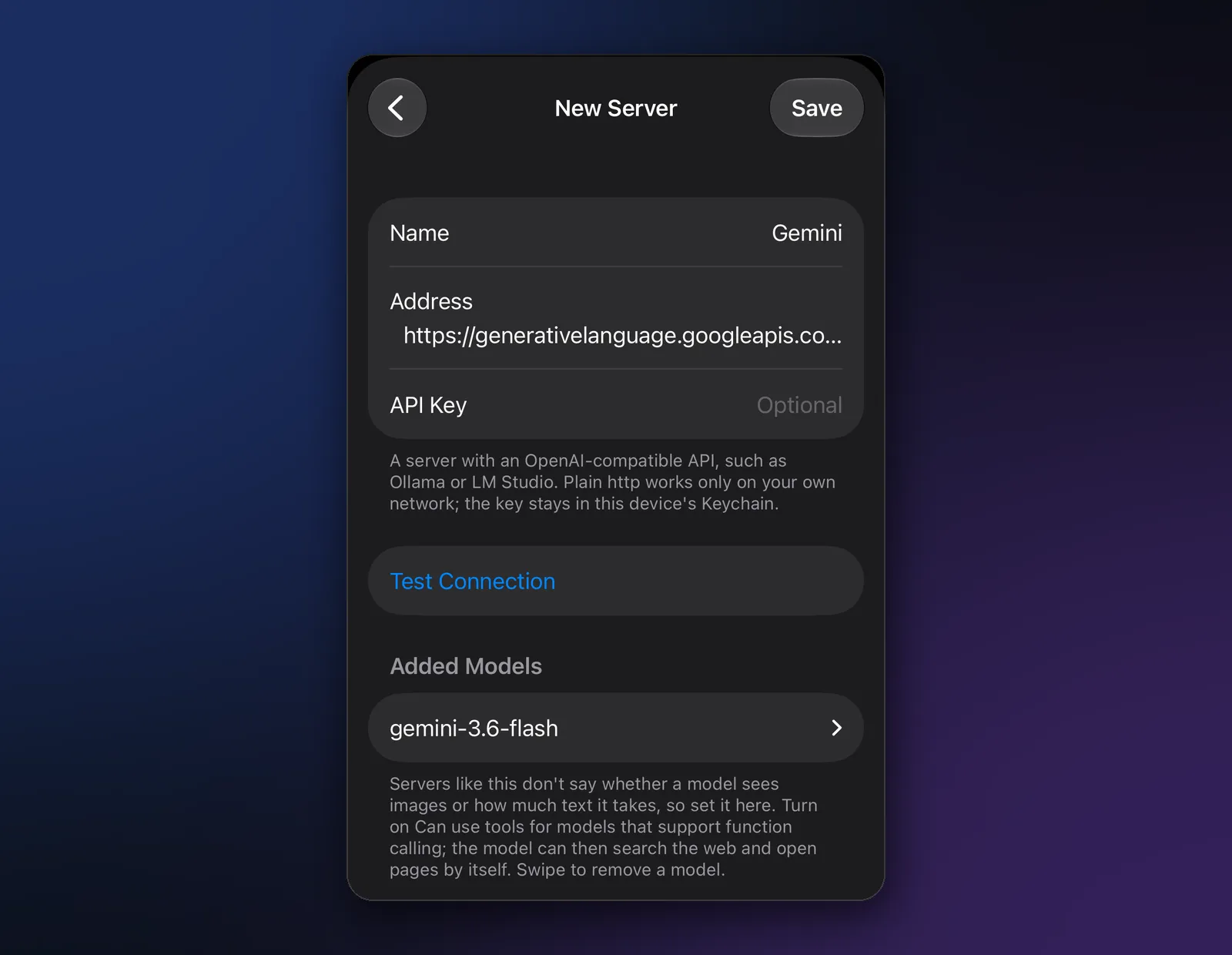
- Open Manage models. Tap the model’s name at the top of a chat, then Manage models.
- Add a custom server. Tap +, then Custom Server.
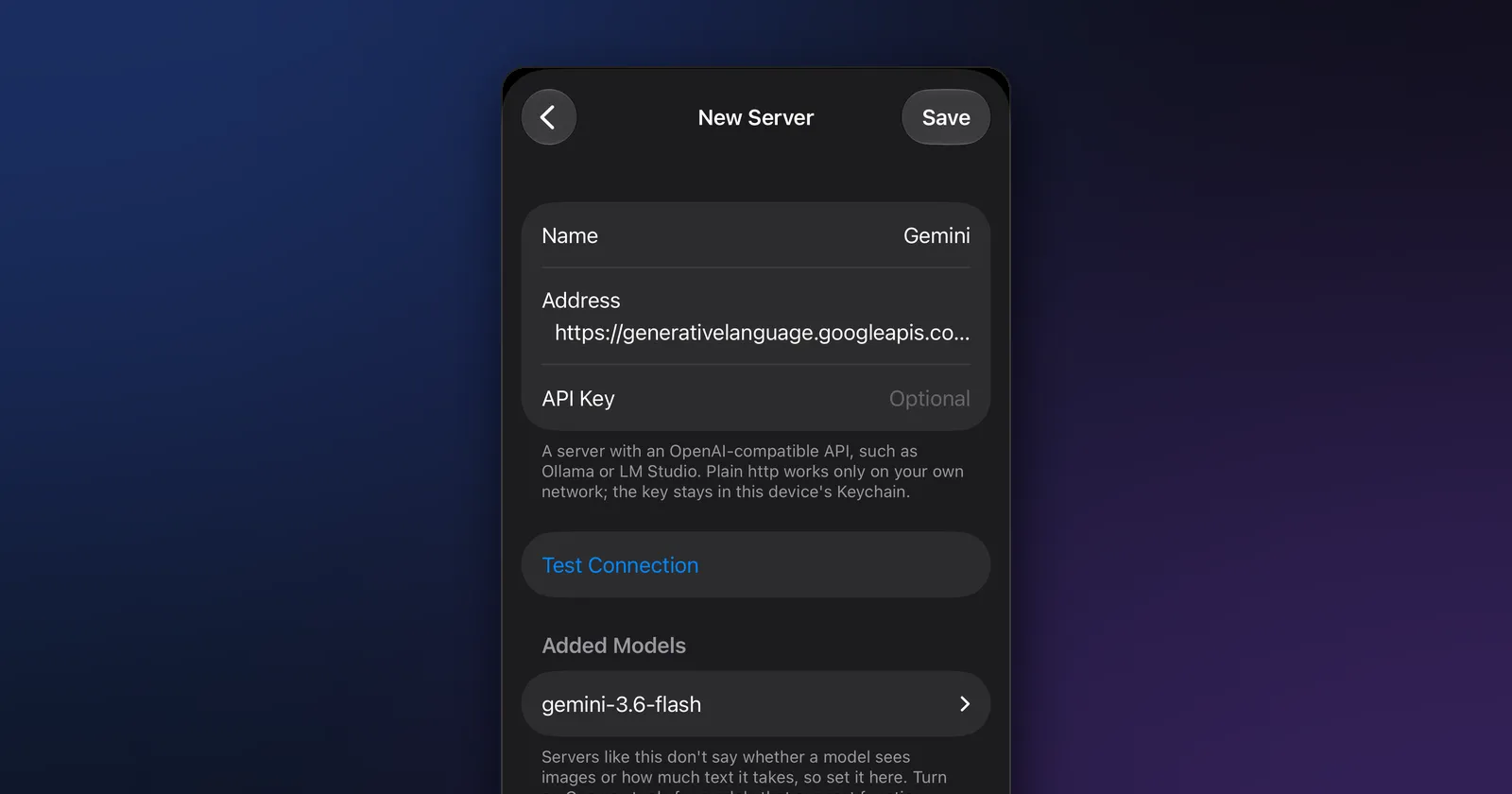
- Fill in the form:
- Name: Gemini
- Address:
https://generativelanguage.googleapis.com/v1beta/openai(type all of it, including/v1beta/openai) - API Key: your key from Google AI Studio
- Tap Test Connection. When it says Connected, the models your key can use appear under Models on This
Server; tap the ones you want. Or type an ID under Add Model by ID, for example
gemini-3.6-flashorgemini-3.5-flash-lite. - Set up each model: turn on Accepts images for models that take pictures (Google’s compatibility layer accepts images) and Can use tools if you want the model to search the web and open pages by itself; Google’s compatibility layer supports function calling.
- Tap Save. The models appear in the model picker under Your servers.
Two notes on the compatibility layer, from Google’s docs:
- Newer models ignore some settings. Google says Gemini 3.6 and later, and Gemini 4, ignore
temperature,top_pandtop_kand send deprecation warnings, with errors to come in a future release (Google). When a server refuses one of these optional settings by name, Modelbase sends the request again without it. - It’s beta. Google says support for the OpenAI libraries is still in beta while it extends feature support.
Your key stays in the device’s Keychain, and with iCloud sync on, your servers and keys sync to your other devices through your own iCloud.
Gemini API vs the other free options
| Gemini API free tier | Groq free plan | OpenRouter free models | Model on your device | |
|---|---|---|---|---|
| Models | Gemini Flash, Gemini 4 Hydrogen, Gemma 4 | gpt-oss-120b, gpt-oss-20b, Qwen 3.8 27B | 14 free text models | 53 open models in Modelbase |
| Limits | Per project, in AI Studio | 1,000 requests a day per model | 50 requests a day (1,000 after buying 10 credits) | None |
| Your data | Used to improve Google’s products (outside the EEA, CH and UK) | Not retained by default | Depends on the model’s provider | Stays on the device |
| Works offline | No | No | No | Yes |
More on each in our guide to free LLM APIs, the Groq guide and the OpenRouter guide.
For private questions, the safest free model is the one on your phone: Modelbase comes with LFM 2.5 (1.2B), and Google’s own small open models, Gemma 4 (E2B) and Gemma 3, run on the device too. Our Gemma vs Llama vs Qwen guide compares them, and how to run an LLM locally shows how to set one up.
FAQ
Is the Gemini API free?
Yes, there’s a free tier. As of November 2026 it covers models such as Gemini 3.6 Flash, Gemini 3.5 Flash-Lite, Gemini 4 Hydrogen and Gemma 4, with limits per project. Google uses free-tier data to improve its products.
Do I need a credit card for the Gemini API?
No, not for the free tier. Billing is needed only for the paid tiers.
What are the Gemini API free tier limits?
They vary by model and apply per Google Cloud project. Google shows your current limits in Google AI Studio; requests per day reset at midnight Pacific time.
Does Google use my Gemini API data?
On the free tier, yes: Google’s terms say it uses prompts and responses to improve its products and that human reviewers may read them, except for users in the EEA, Switzerland and the UK. On the paid tier, it doesn’t.
How do I get a Gemini API key?
Sign in to Google AI Studio, accept the terms, and copy the key from the API keys page. New users get a project and a key created automatically.
Can I use the Gemini API on my iPhone?
Yes, if you’re a developer: add it in Modelbase as a custom server with Google’s OpenAI-compatible address and your key. For everyday private chat, a model that runs on the iPhone is the better fit.
Try it on your iPhone, iPad or Mac
Modelbase is free on the App Store.